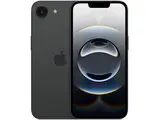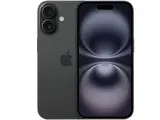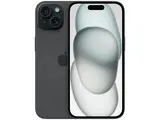
Setting up a refurbished iPhone is the same as setting up a new one. A properly refurbished device arrives wiped, with no Activation Lock and a clean install of iOS, so you power it on and follow Apple's Setup Assistant. The whole process takes about fifteen minutes, most of it spent restoring your apps and data from a backup or your old iPhone.
What to check when the box arrives
Two quick checks save trouble later:
- If the phone asks for a previous owner's Apple ID during setup, Activation Lock was not removed. Stop and contact the seller.
- Once it is running, check the battery health in Settings, so you know what you received.
Setup steps
Apple documents the full flow in its iPhone setup guide. The short version:
- Press and hold the side button until the Apple logo appears.
- Choose your language and region, then follow the on-screen prompts.
- Use Quick Start to copy settings from your old iPhone, or set it up manually.
- Connect to Wi-Fi or a cellular network.
- Set up Face ID or Touch ID and create a passcode.
- Sign in with your Apple ID, or create one if you are new to iPhone.
- Restore your data from an iCloud backup, a computer backup, or a direct transfer from your old iPhone.
What about the SIM?
A refurbished iPhone needs an active SIM or eSIM to make calls and use mobile data. If your model is unlocked, any compatible carrier's SIM card works. Newer models can also use an eSIM that you activate from your carrier.
If the phone will not activate on your network, it may be locked to another carrier or blacklisted. An IMEI check with your carrier tells you which.
New to iOS? Our beginner's guide to using an iPhone covers the essentials once setup is done.