
Every refurbished MacBook comes with the keyboard layout of the region where it was first sold. Some refurbishers can fit keycaps for another layout when you order, for example turning a UK keyboard into AZERTY, because European keyboards share the same key shapes. A US keyboard has a different shape, so it can't become a true European layout with keycaps alone.
Common keyboard layouts by region
The layout you receive depends on the market the MacBook was sourced from:
- US and English Canada use the QWERTY (ANSI) layout
- UK uses the QWERTY (ISO) layout, which has a different Enter key shape and a few symbol changes
- France uses the AZERTY layout
- Germany uses the QWERTZ layout
- Spain and Italy use QWERTY (ISO) variants with region-specific accent keys
Most refurbishers sell MacBooks with the keyboard layout matching their local market. If a specific layout matters to you, ask the seller before you buy which layout the MacBook has and whether its keys were changed.
Can a refurbisher swap the keys?
It depends on the keyboard the MacBook started with.
Between two European layouts. UK QWERTY, French AZERTY, German QWERTZ, Spanish and Italian keyboards are all ISO keyboards, with the same tall Enter key and the same short left Shift with an extra key beside it (Apple's keyboard layout guide). Only the printed legends differ. Apple's own MacBook Air repair manual treats the keys as a separate repair from the top case, so a refurbisher can replace the keycaps with a set from another ISO layout. Some French refurbishers offer this as an option at checkout.
From a US keyboard. The US layout (ANSI) has a wide rectangular Enter key, a long left Shift and one key fewer. AZERTY keycaps fitted onto it keep that US shape: one French refurbisher explains that the technician has to drop a key, move the < > key above Enter, and remap the keyboard in software. Getting a real European keyboard on a US MacBook means replacing the whole top case, the part that holds the keyboard.
What to ask before you order a swap
- Are the new keycaps genuine Apple parts? Genuine keycaps come from original keyboards and match the rest of the keyboard in font, texture and backlight (as one parts seller describes its harvested keycaps). Copies may not.
- Does the backlight shine evenly through every new legend? Ask for a photo of the keyboard lit up in a dark room.
- On a US MacBook, what exactly was changed? Keycaps on the US shape, with a software remap, are a different product from a replaced top case.
Software keyboard changes
Whatever is printed on the keys, macOS lets you add and switch between input sources in System Settings > Keyboard > Input Sources:
- Type in a different language without matching physical keys
- Remap specific keys using built-in macOS settings
- Switch between multiple input languages with a keyboard shortcut
External keyboard as an alternative
If the seller can't give you the layout you want, an external keyboard is a practical solution:
- Apple's Magic Keyboard is available in nearly every regional layout
- Third-party mechanical keyboards offer even more layout options
- You can close the MacBook lid and use it with an external display and keyboard for a desktop-like setup
For more details on what ships in the box, see what accessories are included with a refurbished MacBook.
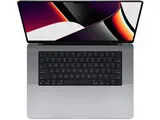 MacBook Pro 16" M1 Pro (2021), 32GB memory, 512GB $751 Fair at Back Market Excellent from $1,090 15 offers
 MacBook Air 13.3" M1 (2020), 16GB memory, 256GB $477 Fair at Mac of All Trades Excellent from $699 7 offers
- MacBook Air 13.3" M1 (2020), 8GB memory, 256GB $421 Fair at Mac of All Trades Excellent from $479 12 offers