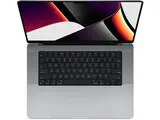
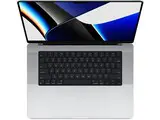
Apple M1 vs. Intel MacBook Pro: Which to Buy Refurbished in 2026?
Apple discontinued its Intel MacBook Pro lineup in 2023, ending a two-decade partnership with Intel processors. As of 2026, both the M1 and Intel MacBook Pro 13-inch are available exclusively as refurbished units, and buyers are often unsure which one is worth their money. This guide breaks down the key differences so you can make a confident decision.
Simo Elalj, CEO at RefurbMe Last updated · 9 min reading time
Both machines share the same chassis, so this comparison focuses on where it matters most: performance, battery life, software compatibility, and long-term value. We use the 13-inch model as a reference throughout, since that is where the M1 and Intel lineups overlap most directly.
Apple M1 MacBook Pro vs. Intel: Overview
Apple launched the M1 MacBook Pro in November 2020, replacing the entry-level Intel 13-inch model. The Intel version had been on sale since 2020 and used 10th-generation Intel Core processors. Apple stopped selling Intel MacBook Pros in 2023, and today both models exist only as refurbished or certified pre-owned units.
The table below covers the key specs side by side:
MacBook Pro 13-inch (M1, 2020)
MacBook Pro 13-inch (Intel, 2020)
Display
13.3-inch Retina, 2560x1600
13.3-inch Retina, 2560x1600
Processor
Apple M1: 8-core CPU, 8-core GPU, 16-core Neural Engine
Quad-core Intel Core i5 or Core i7, Intel Iris Plus graphics
Memory
8GB or 16GB unified memory
16GB or 32GB DDR4
Webcam
720p with Apple ISP
720p
Battery
Up to 20 hours (Apple estimate)
Up to 10 hours (Apple estimate)
Ports
2x Thunderbolt / USB 4
4x Thunderbolt 3 / USB-C
Audio
Studio-quality three-mic array with directional beamforming
Three-mic array with directional beamforming
Storage
512GB, 1TB, or 2TB SSD
512GB, 1TB, 2TB, or 4TB SSD
Weight
1.4 kg (3.0 lbs)
1.4 kg (3.1 lbs)
MacBook Pro 13-inch M1 vs. Intel comparison table (2020 models)
A glance at the chassis suggests two identical machines. The real differences emerge when you look under the hood.
Display
Both the M1 and Intel 13-inch MacBook Pro models use the same 13.3-inch Retina display with a 2560x1600 resolution, 500 nits of brightness, P3 wide colour gamut, and True Tone technology. Dolby Atmos support is present on both. The display is one area where there is genuinely no difference between the two machines, so the choice comes down to everything else.
CPU and GPU
Apple M1 architecture
Apple's M1 chip integrates the CPU, GPU, Neural Engine, and memory onto a single die, a design Apple calls a System on a Chip (SoC). The CPU has 8 cores: 4 high-performance and 4 high-efficiency. The GPU has 8 cores. The 16-core Neural Engine handles machine learning tasks at up to 11 trillion operations per second.
The unified memory architecture means the CPU and GPU share the same memory pool, eliminating data transfer overhead between separate components. This is one reason the M1 feels fast even at 8GB of RAM compared to Intel machines with 16GB.
Intel architecture
The Intel MacBook Pro 13-inch uses 10th-generation Intel Core chips. Both standard configurations use a 2.0GHz quad-core Core i5 processor, configurable to a 2.3GHz quad-core Core i7. Graphics come from Intel Iris Plus, which is integrated but separate from the processor die.
The CPU, GPU, and memory sit as distinct components on the logic board. This separation was standard for Intel-era laptops and creates more data movement between components compared to M1's unified approach.
The high-efficiency cores in the M1 use roughly one-tenth the power of the performance cores for everyday tasks. When browsing, reading email, or working in documents, the Mac routes those tasks to the efficiency cores. This is a key reason why the M1 model delivers nearly double the battery life of the Intel model despite a similar battery capacity.
Webcam
Both laptops have a 720p FaceTime HD camera, but the M1 model includes Apple's image signal processor (ISP). The ISP applies noise reduction, auto white balance, and exposure correction in hardware, producing noticeably better image quality in low-light conditions. Users who rely on video calls regularly tend to prefer the M1 camera. The Intel model's webcam produces usable but grainier results under challenging lighting.
Memory and storage
Memory
The M1 MacBook Pro supports up to 16GB of unified memory. The Intel model supports up to 32GB of DDR4 RAM. For most tasks, 8GB on M1 handles everyday workloads as well as 16GB on Intel due to the unified memory architecture. However, professionals running virtual machines, large Docker containers, or memory-heavy databases may find the Intel model's 32GB ceiling more useful.
Storage
The Intel model offers a 4TB SSD option that the M1 model does not. For photographers and videographers archiving large local libraries, that extra capacity can matter. Storage cannot be upgraded after purchase on either model, so buy with future needs in mind.
Battery life
Battery life is one of the strongest arguments for buying the M1 refurbished. The M1 MacBook Pro 13-inch carries an Apple-rated 20-hour battery life, compared to around 10 hours for the Intel model. Both ratings reflect ideal conditions, so real-world numbers are somewhat lower, but the M1 consistently delivers 10 to 14 hours of daily mixed use in practice, while the Intel model delivers around 5 to 7 hours.
Both machines use a 58.2Wh battery. The endurance gap comes entirely from the M1 chip drawing far less power, not from a larger battery. This makes the M1 model significantly more practical for travel and all-day use away from a power outlet.
Performance
CPU benchmarks
Geekbench scores from 2020 showed the M1 MacBook Pro achieving single-core scores above 1,700 and multi-core scores around 7,500. This outperformed even the high-end Intel Core i9 models in Apple's 2019 16-inch MacBook Pro. The Intel 13-inch configurations score around 1,100 single-core and 3,800 to 4,200 multi-core.
In 2026, the M1 remains a capable chip. Apple has since released M2, M3, and M4 generations, so the M1 is no longer cutting-edge, but it handles web browsing, office work, photo editing, coding, and video calling without difficulty. The Intel models feel slower on the same tasks due to lower single-core speed and higher power draw under sustained load.
Rosetta 2 and x86 apps
Even when running x86 software through Apple's Rosetta 2 translation layer, the M1 MacBook Pro is faster than native Intel execution on the same apps. Apple has described Rosetta 2 as a temporary bridge for developers transitioning to Apple Silicon, but it remains available in macOS as of 2026. Most major professional applications now have native Apple Silicon versions, so Rosetta 2 is used far less than in 2020.
The M1 MacBook Pro has 2 Thunderbolt / USB 4 ports. The Intel model has 4 Thunderbolt 3 ports. The extra 2 ports on the Intel model is a practical advantage for users who connect multiple peripherals without wanting to carry a hub. USB 4 on the M1 matches Thunderbolt 3 bandwidth at up to 40Gb/s, so data transfer speed is equivalent. The main practical difference is quantity: 2 ports versus 4.
If you regularly work with an external monitor, an external drive, and a USB hub simultaneously, the Intel model's 4-port layout removes the need for a dock. For lighter setups, 2 ports is rarely a problem.
Design
The M1 and Intel MacBook Pro 13-inch models are physically identical in size: 30.41 x 21.24 x 1.56 cm and 1.4 kg. Both come in Silver and Space Gray. The Touch Bar, Touch ID, Magic Keyboard, and Force Touch trackpad are shared across both. If you are buying refurbished and want a compact professional MacBook with a standard keyboard layout and matching accessories, either model looks and feels the same in daily use.
Note that Apple removed the Touch Bar from the MacBook Pro lineup with the M2 generation in 2022. If you prefer a MacBook without the Touch Bar, you would need to look at MacBook Air models or the newer MacBook Pro M2 and later.
Microphone and speakers
Both the M1 and Intel 13-inch models include stereo speakers with wide stereo sound, high dynamic range, and Dolby Atmos support. The Intel model has a standard three-mic array with directional beamforming. Apple describes the M1 model's microphone array as "studio-quality" with a high signal-to-noise ratio. In practice, voices recorded or transmitted on the M1 sound noticeably cleaner, with less background noise. This matters for frequent video calls, podcasting, or voice memos.
Software compatibility in 2026
Native Apple Silicon apps
By 2026, the vast majority of professional macOS applications have native Apple Silicon versions, including Adobe Creative Cloud, Microsoft Office, Xcode, Final Cut Pro, DaVinci Resolve, and most developer toolchains. Apps that still lack native builds run through Rosetta 2 automatically and perform well on the M1.
Windows and virtualisation
Running Windows on an M1 Mac requires ARM-based Windows through Parallels or VMware Fusion. These solutions work well for general Windows use but cannot run x86-only Windows software natively. The Intel MacBook Pro can run standard x86 Windows through Boot Camp or any virtualisation tool, which remains a genuine advantage for users who depend on specific Windows-only enterprise or engineering software.
iOS and iPadOS apps
M1 Macs can run iPhone and iPad apps natively through macOS. The Intel model cannot do this. For users who rely on iOS apps for productivity or have tools without macOS equivalents, this is a meaningful advantage for the M1.
For the majority of buyers, the refurbished M1 MacBook Pro is the better choice in 2026. It delivers faster performance, nearly double the battery life, a better webcam, cleaner audio, and native iOS app support. The M1 chip will continue to receive macOS updates for at least another two to three years based on Apple's typical support cycle.
The Intel MacBook Pro still makes sense for users who need 32GB of RAM, a 4TB storage option, 4 Thunderbolt ports without a hub, or who depend on x86-only Windows software through Boot Camp. These are specific needs, not general ones, but they are real.
On price, both models are available refurbished at similar points in 2026, though M1 models tend to command a small premium. Check current deals for both below:
Refurbished M1 MacBook Pro deals:
from $455in Excellent Refurbished MacBook Pro 13 inch with Apple Silicon Chip · 18 configurations at 4 sellers. Checked Oct 29, 4:01 PM EDT.
Email me when a refurbished MacBook Pro 13 inch is listed under $400. You also get our weekly deals email. Unsubscribe anytime.
FAQ
Is the M1 MacBook Pro still worth buying in 2026?
Yes. The M1 MacBook Pro remains a capable refurbished laptop in 2026. It handles office work, photo editing, video calls, web development, and light video editing without difficulty. Apple still supports it with current macOS updates. The main reason to look at newer M2 or M3 models is if you need ProMotion display, MagSafe charging, HDMI, or SD card slot, features Apple added with the 2021 MacBook Pro redesign.
What is the main difference between the M1 and Intel MacBook Pro 13-inch?
The main differences are processor architecture, battery life, and memory ceiling. The M1 chip is faster in single-core performance, uses far less power (delivering up to 20 hours of battery versus 10 on Intel), and integrates CPU and GPU on a single die. The Intel model supports up to 32GB of RAM and 4TB of storage, and has 4 Thunderbolt ports compared to 2 on the M1.
Can the M1 MacBook Pro run Windows?
Yes, but only ARM-based Windows through virtualisation software such as Parallels Desktop or VMware Fusion. Boot Camp is not supported on Apple Silicon. x86-only Windows applications may not run correctly inside ARM Windows on an M1 Mac. The Intel MacBook Pro supports Boot Camp for full x86 Windows, which is a genuine advantage for users who depend on specific Windows-only enterprise software.
Does the M1 MacBook Pro support Rosetta 2 in 2026?
Yes. Rosetta 2 is still available in macOS as of 2026 and runs x86 apps on the M1 automatically. Most major apps now have native Apple Silicon builds, so Rosetta 2 is used far less than in 2020 and 2021. Performance through Rosetta 2 on M1 is typically faster than running the same app natively on an Intel Mac.
Is 8GB of RAM enough on the M1 MacBook Pro?
For most users, yes. The M1 uses unified memory shared between CPU and GPU, which is more efficient than traditional DDR4. An 8GB M1 Mac handles everyday tasks comparably to a 16GB Intel Mac. If you run virtual machines, large Docker environments, or memory-heavy professional software simultaneously, consider the 16GB M1 configuration or look at a higher-spec model.
Which refurbished MacBook Pro has better long-term support?
The M1 MacBook Pro has better long-term software support prospects. Apple typically supports Mac models for around 7 years after release. The M1 MacBook Pro launched in 2020, meaning it should continue receiving macOS updates through approximately 2027. Intel MacBook Pros from 2020 are on the same general timeline, but Apple Silicon is the architecture Apple is actively developing for.
Last updated: May 8, 2026 ·
First published: Nov 4, 2022
Simo Elalj
CEO and Founder at RefurbMe. I made this project back when I was 15 when I had to wake up at 2am to buy my own refurbished Macbook Pro. Passionate about circular economy, great UX and goats.