
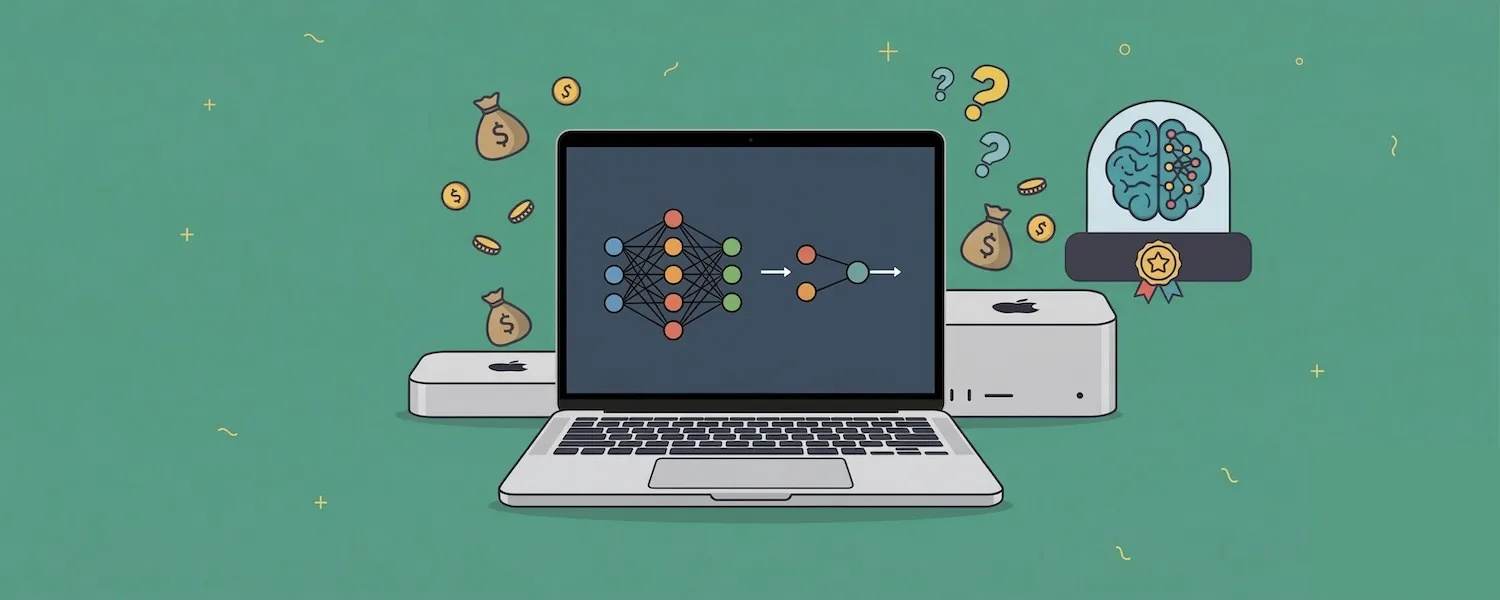
Any Apple Silicon Mac with 16 GB of RAM or more can run a local AI model today, no cloud subscription required. The hardware decision matters more than the software one: the right Mac will run open-source models that rival ChatGPT and Claude, while the wrong configuration will choke on anything beyond a toy 3B model. The key factors are RAM capacity and memory bandwidth, not the latest chip generation. That makes refurbished Macs with M2 Pro, M3 Pro, or M4 Pro chips some of the best deals in AI hardware right now. With identical performance, they cost far less than new: on 1 October 2026, RefurbMe's US listings had a 14-inch MacBook Pro with M3 Pro (18 GB memory, 512 GB storage) from $1,304 at Back Market and $1,349 at Amazon Renewed, about a third under Apple's $1,999 launch price. Apple's own refurbished store caps its discount at "savings up to 15%" (per apple.com/shop/refurbished), so the deeper savings come from shopping outside Apple's own channel.
The OpenClaw phenomenon has accelerated this trend dramatically. Mac minis have sold out in multiple markets as people rush to set up dedicated AI servers at home and in offices. Secondhand Mac prices have risen sharply since February 2026, driven largely by demand for AI-capable hardware.
According to RefurbMe's own tracking, a refurbished Mac mini reaches the US market a median of 118 days after Apple's release date (as of September 2026), so the wait for the first refurbished units runs roughly three to four months in the US. That median swings hard by country: RefurbMe's Italian catalogue currently runs closer to 349 days. Across every Mac mini model RefurbMe has tracked in the US, the median Refurb Discount versus the original Apple price is about 80 percent, though that figure spans years of legacy models and does not mean a current Mac mini is 80 percent off. Source: RefurbMe Mac mini stats.
This guide covers which Mac to buy, how much RAM you actually need, and why buying refurbished is the smartest way to build an AI workstation in 2026. The specific models, prices, and wait times below reflect RefurbMe's US catalogue; buyers in Canada or the UK should check current stock on their own market page, since refurbished lineups and Time-to-Refurb medians differ by country. Once you have hardware in hand, our step-by-step setup guide for running local AI on a Mac walks through Ollama, LM Studio, and your first model.
Why Run AI Locally on Your Mac?
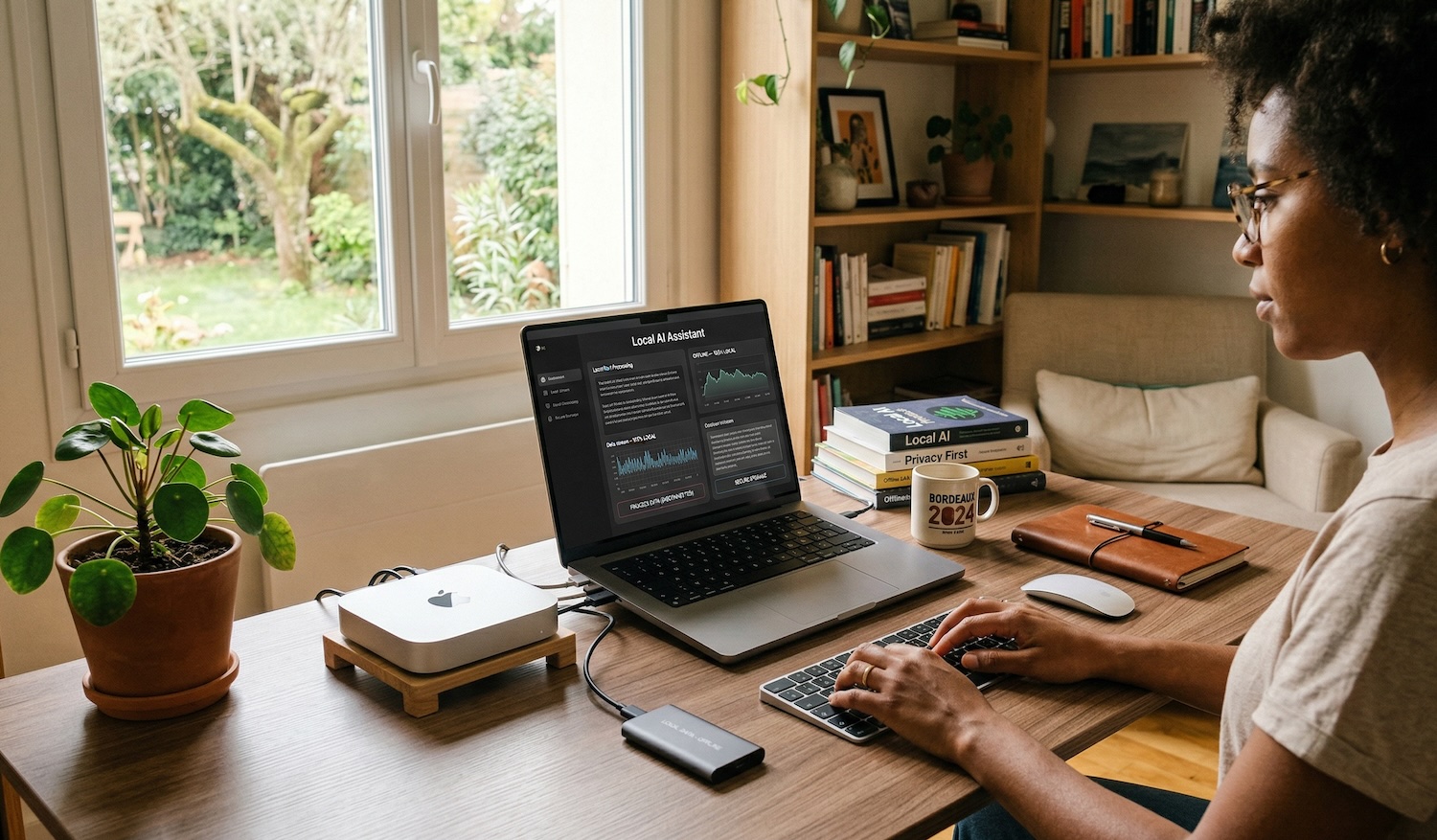
Cloud AI services like ChatGPT Plus and Claude Pro cost $20 per month each. That is $240 per year, per service. A refurbished Apple Silicon Mac mini running local models eliminates those recurring costs entirely while giving you a full computer.
But cost is only part of the story:
- Privacy. Your data never leaves your device. No prompts are logged on remote servers. No third-party access. This matters for GDPR compliance, HIPAA-sensitive work, corporate data policies, and personal privacy. Self-hosting eliminates cross-border data transfer concerns entirely.
- No internet required. After downloading a model once (typically 4 to 45 GB), everything runs offline. Run AI on planes, in remote locations, or during outages.
- No usage limits. No daily message caps, no throttling during peak hours, no waiting in queues. The model runs as fast as your hardware allows, as often as you want.
- Customization. Choose from hundreds of open-source models. Fine-tune them for specific tasks. Swap models in seconds. No vendor lock-in.
Local AI is not a downgrade from cloud services. Open-source models like Qwen 3, Llama 3.3, and DeepSeek R1 now match or exceed GPT-4-class performance on many benchmarks. Running them on your Mac means full control at zero recurring cost.
The OpenClaw Effect: Why Mac Minis Are Selling Out
OpenClaw is an open-source autonomous AI agent created by Austrian developer Peter Steinberger. First published as "Clawdbot" in November 2025 and renamed to OpenClaw in January 2026, it has amassed over 247,000 GitHub stars and become one of the fastest-growing open-source projects in history.
Unlike Ollama or LM Studio, OpenClaw is not a tool for chatting with AI. It is a personal AI agent that connects to LLMs (cloud or local via Ollama) and uses messaging platforms like WhatsApp, Slack, Discord, and iMessage as its interface. It runs 24/7, monitors your messages, executes multi-step tasks, manages files, and automates workflows autonomously. Think of it as an always-on digital assistant that lives on your Mac.
Why OpenClaw Drives Mac Mini Purchases
Two forces are pushing people to buy dedicated Mac minis for OpenClaw.
Always-on operation. OpenClaw is designed to run continuously. It needs a computer that stays on 24/7 without running up your electricity bill or making noise. The Mac mini M4 draws just 8 to 15W at idle, roughly $15 to $25 per year in electricity for around-the-clock operation. It runs silent, takes up almost no desk space at 12.7 x 12.7 cm, and handles long uptimes without issues.
Security isolation. This is the bigger driver. OpenClaw requires Full Disk Access and Accessibility permissions to function. A security audit in January 2026 identified 512 vulnerabilities, 8 classified as critical. CVE-2026-25253 enabled token exfiltration leading to remote code execution. Over 230 malicious script plugins were published on ClawHub and GitHub within the first week. Microsoft, Kaspersky, Jamf, and SMU all recommend running OpenClaw on a dedicated, separate device rather than your primary computer.
That recommendation creates a specific purchase use case: buy a second Mac, exclusively for your AI agent, isolated from your personal data and work files. A refurbished Mac mini is the most cost-effective way to do it.
Real-World Impact on Mac Prices
The OpenClaw wave has measurably shifted the Mac market:
- Mac minis sold out across China, with markups of 500 yuan ($73) or more at retailers in Beijing and Shenzhen
- Delivery times for high-memory Mac configurations extended to six weeks globally
- Secondhand Mac prices rose sharply, with ATRenew raising buyback prices to increase supply and spring prices holding at levels typically seen during peak holiday demand
- Apple CEO Tim Cook acknowledged supply constraints on advanced chips, storage, and memory
- Nearly 1,000 people lined up at Tencent headquarters in Shenzhen for on-site OpenClaw installation assistance
ATRenew's chief strategy officer Jeremy Ji told CNBC: "We do see the growing demand for laptops, PCs as a whole, but the Mac devices benefit from that trend above all."
Which Mac for OpenClaw?
OpenClaw itself is lightweight when using cloud APIs for reasoning. The hardware choice depends on whether you also want to run local models through it. The table below reflects US refurbished stock; expect thinner selection and longer waits in other markets.
| Use Case | Recommended Mac | Est. Refurb Price | Why |
|---|---|---|---|
| OpenClaw with cloud APIs only | Mac mini M4, 16 GB | check refurb.me | Enough for the agent plus 2-3 sub-agents |
| OpenClaw + small local models (8B) | Mac mini M4, 16 GB, 512 GB SSD | check refurb.me | Room for one local model plus logs and memory files |
| OpenClaw + powerful local models (32B) | Mac mini M4 Pro, 48 GB | check refurb.me | Runs Qwen3-Coder:32B locally for tool calling, the community-recommended model for OpenClaw |
| OpenClaw for a team (multi-agent) | Mac Studio M2 Ultra, 192 GB | Varies | Serves multiple agents and users simultaneously |
For headless operation (no monitor), you will need an HDMI dummy plug (roughly $8 to $10) to prevent macOS from disabling screen capture features that OpenClaw depends on.
Compare refurbished Apple Silicon Mac mini prices.
Mac Mini and Mac Studio as Dedicated AI Servers
The OpenClaw trend is part of a larger shift: people are setting up Macs as always-on, self-hosted AI servers for privacy, cost reduction, and independence from cloud providers. The chips and prices below are current for RefurbMe's US catalogue; refurbished availability for the same chip can look very different in other markets.
Why the Mac Mini Works as a Home AI Server
| Factor | Mac mini | Typical PC/GPU Rig |
|---|---|---|
| Idle power draw | 5-15W | 50-150W |
| AI inference power draw | 15-30W | 200-400W |
| Annual electricity (24/7) | $15-$25 | $150-$400+ |
| Noise at idle | Silent (fanless) | Audible |
| Form factor | 12.7 x 12.7 cm | Full tower |
| Max RAM for AI | 24-48 GB (all unified) | 8-24 GB (GPU VRAM) |
| Setup complexity | Plug and play | Driver installation, CUDA config |
Beyond OpenClaw and local LLMs, people run Mac mini servers for private coding assistants (self-hosted Copilot alternatives), document processing through RAG pipelines, offline translation services, local voice assistants, and Home Assistant integrations with privacy-first AI.
When to Choose a Mac Studio Instead
The Mac mini caps at 48 GB of unified memory with M4 Pro. For most local AI tasks, that is plenty. But if you need to run 70B+ parameter models at full quality, serve AI to more than a few simultaneous users, or run multiple OpenClaw agents for a team, the Mac Studio M2 Ultra with an Ultra chip is the step up.
| Factor | Mac mini M4 Pro | Mac Studio M2/M3 Ultra |
|---|---|---|
| Max RAM | 48 GB | 192 GB (M2 Ultra), 512 GB (M3 Ultra) |
| Memory bandwidth | 273 GB/s | 800 GB/s (M2 Ultra), 819 GB/s (M3 Ultra) |
| Comfortable model size | Up to 32B | Up to 200B+ |
| Multi-user serving | 1-2 users | 10+ users |
| Power draw | 15-30W | 50-150W |
| Best for | Personal AI, single OpenClaw agent | Team AI server, multi-agent, research |
A Mac Studio M2 Ultra with 192 GB at 800 GB/s bandwidth generates tokens roughly three times faster than a Mac mini M4 Pro on the same model. The price difference is significant, but for teams replacing multiple cloud AI subscriptions, the math works quickly. For a full rundown of every generation, see our refurbished Mac Studio buying guide.
Check refurbished Mac Studio M2 Ultra prices.
What Makes Macs Ideal for Local AI
Apple Silicon has a structural advantage over traditional PCs for running large language models: unified memory architecture.
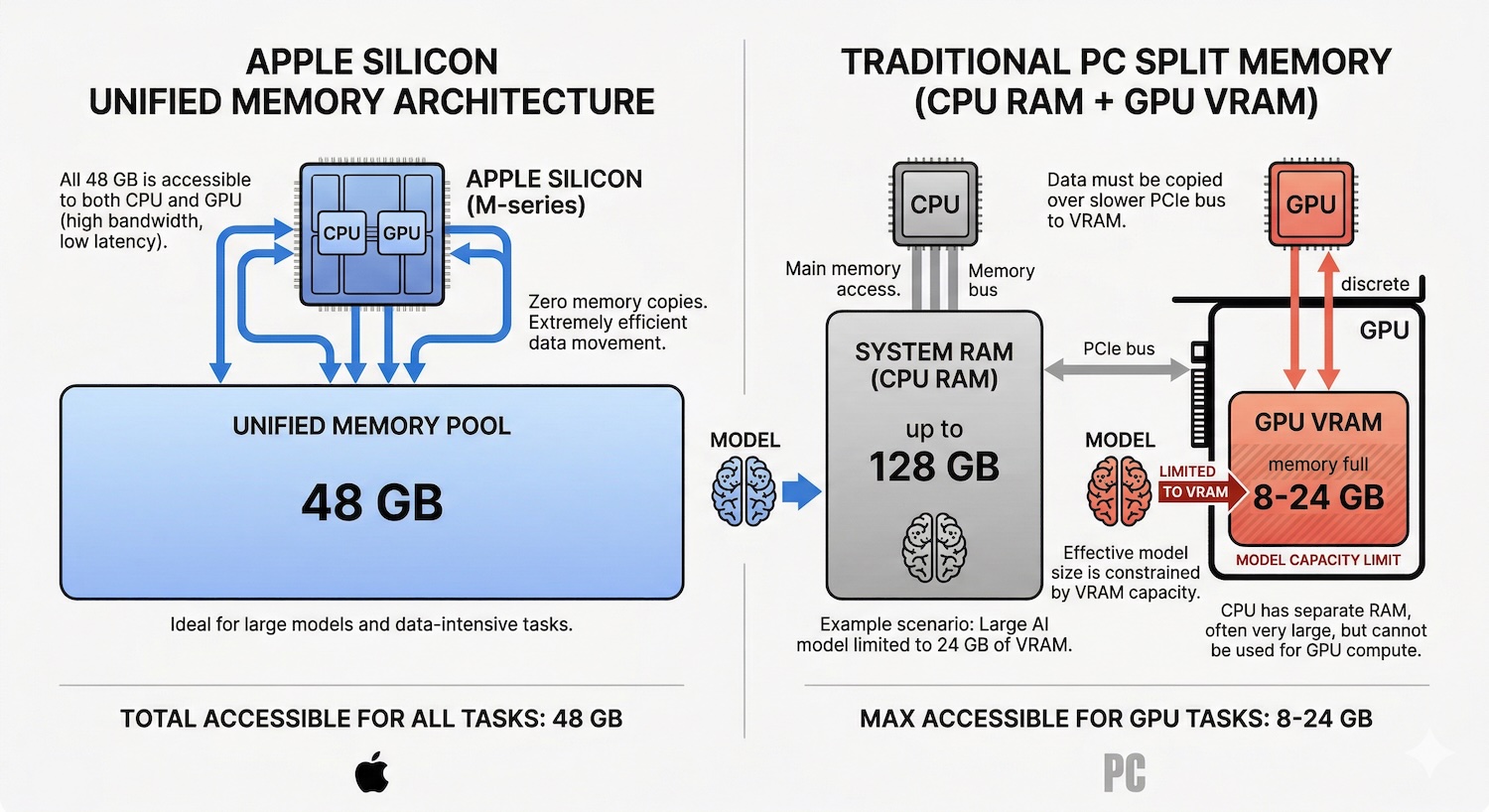
On a Windows PC, AI models are bottlenecked by GPU VRAM. A typical gaming GPU has 8 to 24 GB of dedicated video memory. If the model does not fit in VRAM, performance collapses. On a Mac, the CPU and GPU share the same memory pool. A Mac mini M4 Pro with 48 GB of unified memory gives the AI model access to all 48 GB. No artificial split between system RAM and GPU memory.
This matters because LLM inference speed depends on two things: how much memory is available (determines which models fit) and how fast that memory can be read (determines token generation speed). Apple Silicon delivers both:
| Chip | Memory Bandwidth | Max RAM | Neural Engine |
|---|---|---|---|
| M1 | 68 GB/s | 16 GB | 11 TOPS |
| M2 | 100 GB/s | 24 GB | 15.8 trillion ops/s |
| M2 Pro | 200 GB/s | 32 GB | 15.8 trillion ops/s |
| M3 Pro | 150 GB/s | 36 GB | 18 TOPS |
| M3 Max | 300-400 GB/s | 128 GB | 18 TOPS |
| M4 | 120 GB/s | 32 GB | 38 TOPS |
| M4 Pro | 273 GB/s | 48 GB | 38 TOPS |
| M4 Max | 546 GB/s | 128 GB | 38 TOPS |
| M5 | 153 GB/s | 32 GB | 38+ TOPS |
| M5 Pro | 307 GB/s | 64 GB | 38+ TOPS |
| M5 Max | 614 GB/s | 128 GB | 38+ TOPS |
| M2 Ultra | 800 GB/s | 192 GB | 31.6 TOPS |
| M3 Ultra | 819 GB/s | 512 GB | 36 TOPS |
A critical insight for refurbished buyers: memory bandwidth matters more than chip generation for LLM inference. An M3 Max with 400 GB/s bandwidth generates tokens faster than an M4 Pro at 273 GB/s when running the same model. Previous-generation Max and Ultra chips are excellent refurbished buys for AI workloads because they offer superior bandwidth at lower prices.
How Much RAM Do You Need?
RAM is the single most important spec for local AI. The rule of thumb: your model file should consume no more than 60 to 70 percent of total RAM, leaving room for macOS, the context window (KV cache), and other applications.
| Model Size | RAM Needed | Example Models | What It Can Do |
|---|---|---|---|
| 3B-4B | 8 GB minimum | Llama 3.2 3B, Phi-4 Mini, Gemma 3 4B | Basic Q&A, summarization, simple coding help |
| 7B-8B | 16 GB minimum | Qwen 3 8B, Llama 3.1 8B, Mistral 7B | General chat, code generation, writing assistance |
| 12B-14B | 24 GB minimum | Qwen 3 14B, DeepSeek-R1-Distill-14B | Strong reasoning, complex coding, professional writing |
| 30B-32B | 48 GB recommended | Qwen 3 32B, DeepSeek-R1-Distill-32B | Near-GPT-4 quality for most tasks |
| 70B | 64-96 GB | Llama 3.3 70B, Qwen 2.5 72B | Frontier-class local AI, rivals cloud models |
| 200B+ | 128 GB+ | Qwen3 235B-A22B (quantized) | Research-grade, maximum capability |
Most models are distributed in quantized formats (Q4_K_M is the standard for local use). A 70B-parameter model at Q4 quantization needs roughly 40 to 45 GB of disk space and about the same in RAM during inference. A Mac with 64 GB can run it, but 96 GB gives comfortable headroom.
For most people, 16 to 48 GB covers the practical sweet spot. A 16 GB Mac runs 7B-8B models well. A 48 GB Mac runs 32B models that approach GPT-4 quality on coding, writing, and reasoning tasks.
Best Mac Models for Local AI (Ranked by Value)
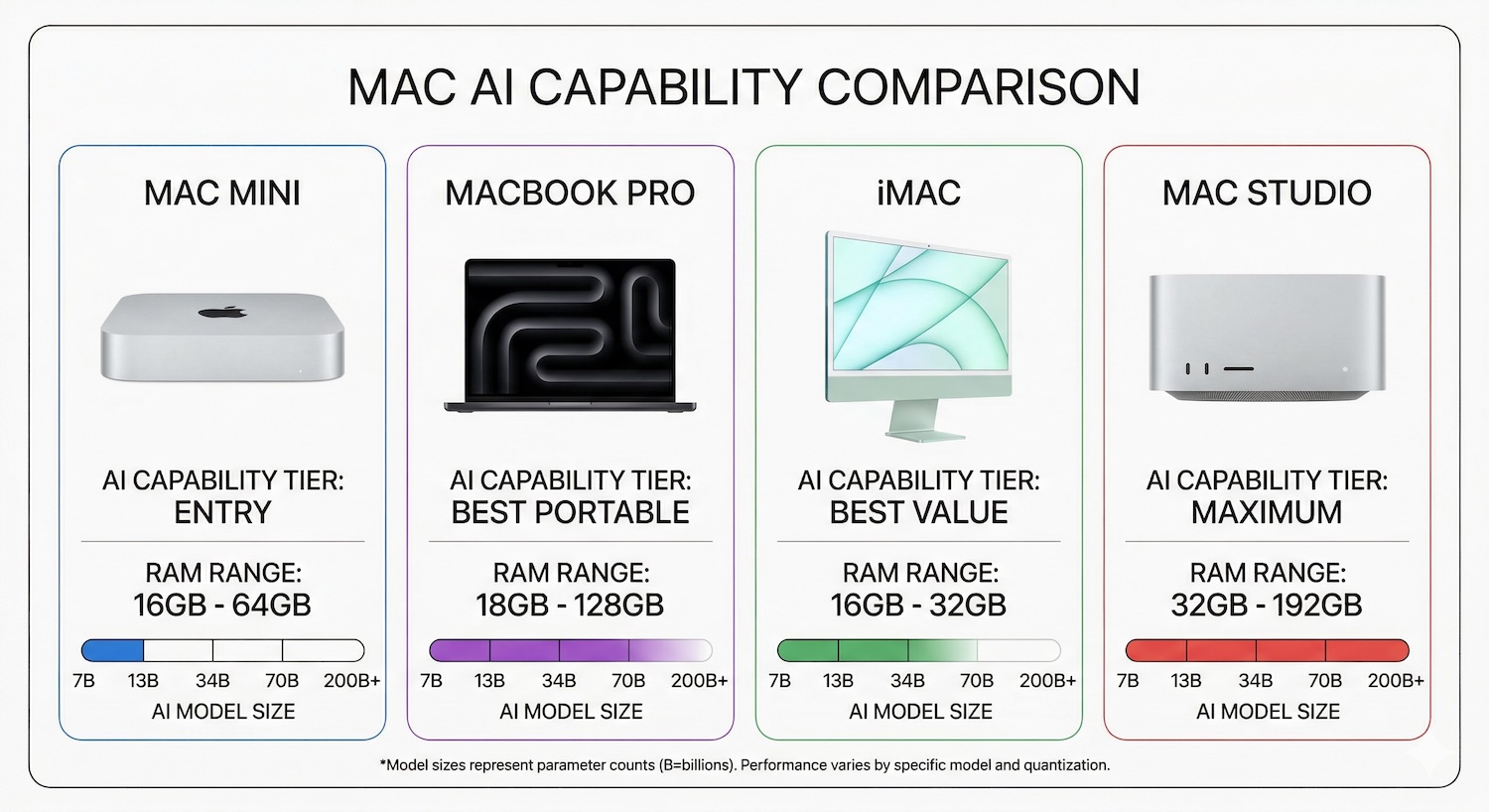
The rankings and prices below reflect refurbished stock in RefurbMe's US catalogue. Availability for the same chip varies a lot by country: some of these configurations, including the Mac mini M4 Pro, are thin or absent in smaller refurbished markets.
Best Value: Mac mini M4 Pro (48 GB)
The Mac mini M4 Pro with 48 GB of unified memory is the best value AI workstation available in 2026. It runs 32B models comfortably and can handle 70B at Q4 quantization with some headroom pressure. At 273 GB/s memory bandwidth, token generation speeds hit 12 to 22 tokens per second on 32B models, which is faster than comfortable reading speed.
New price: $1,999. Refurbished pricing fluctuates as inventory cycles through the market, so check the current price on RefurbMe. It draws roughly 30W under AI load and runs near-silent. For a value ranking of every generation beyond AI workloads, see our refurbished Mac mini buying guide.
Compare Apple Silicon Mac mini prices on RefurbMe.
Best Portable: MacBook Pro M4 Pro (48 GB)
Same chip and memory as the Mac mini M4 Pro, plus a screen, keyboard, and battery. You sacrifice nothing in AI performance and gain portability. If you need a laptop anyway, the MacBook Pro M4 Pro is the best portable AI machine available.
New price: $2,899. Refurbished models start from around $1,600 for 24 GB configurations, with 48 GB models ranging up to $2,800 depending on storage. A refurbished Apple Silicon MacBook Pro with the M4 Pro chip does everything a new one does.
Browse refurbished MacBook Pro M4 Pro deals.
Budget Sweet Spot: Mac mini M2 Pro (32 GB)
The M4 and M5 launches pushed M2 Pro prices down sharply on the refurbished market. A Mac mini M2 Pro with 32 GB handles 14B models smoothly with enough headroom for basic 32B usage at lower quantization, and pricing is well below newer Pro models. At 200 GB/s bandwidth, it is slower than newer chips but perfectly usable for everyday AI tasks.
This is the best entry point for anyone who wants to try local AI without a major investment.
Find refurbished Apple Silicon Mac mini deals.
Portable Budget Pick: MacBook Pro M3 Pro (36 GB)
With the M5 generation pushing M3 Pro machines into the refurbished channel, the MacBook Pro M3 Pro 36 GB is now one of the best value AI laptops available. Refurbished 16-inch, 36 GB units currently start at $1,719 from Mac of All Trades (live US listing, September 2026); Back Market's cheapest 36 GB configuration runs $1,928. At 150 GB/s of memory bandwidth, it handles 14B to 30B models well and runs 7B models at speeds comfortable for interactive use.
At $1,719 the M3 Pro 36 GB now sits within about $110 of the M4 Pro 24 GB, so pick it when you want the extra 12 GB of RAM for larger models, and the M4 Pro when you want the faster 273 GB/s of bandwidth.
Speed Bargain: MacBook Pro M3 Max (48-96 GB)
Here is the insider pick. The M3 Max at 400 GB/s memory bandwidth generates tokens faster than the M4 Pro at 273 GB/s. With the M5 Pro and M5 Max now on shelves, M3 Max machines are flowing into refurbished channels at steep discounts. A MacBook Pro M3 Max with 48 GB offers better raw AI throughput than a brand-new M4 Pro, often at a lower price.
Maximum Capability: Mac Studio M2 Ultra (192 GB)
For running 70B models at full quality or experimenting with 200B+ parameter models, nothing beats the Mac Studio with an Ultra chip. The M2 Ultra with 192 GB of unified memory and 800 GB/s bandwidth is an AI research machine that fits on a desk and draws a fraction of the power of a comparable GPU rig.
Check refurbished Mac Studio M2 Ultra prices.
All-in-One: iMac M4 (32 GB)
The refurbished Apple Silicon iMac M4 with 32 GB handles 7B to 14B models well enough for occasional AI use. If you want a single device with a built-in 4.5K Retina display and decent local AI capability, the iMac fills that niche. It is not an AI-first machine, but it gets the job done for lighter workloads.
Comparison Table
| Mac Model | RAM Options | Bandwidth | Best Model Size | Est. Refurb Price | AI Rating |
|---|---|---|---|---|---|
| Mac mini M4 | 16-32 GB | 120 GB/s | 7B-8B | check refurb.me | Entry |
| Mac mini M4 Pro | 24-48 GB | 273 GB/s | 14B-70B | check refurb.me | Best Value |
| MacBook Pro M3 Pro | 18-36 GB | 150 GB/s | 7B-30B | from ~$1,719 (36 GB) | Budget Portable |
| MacBook Pro M4 Pro | 24-48 GB | 273 GB/s | 14B-70B | from ~$1,600 | Best Portable |
| MacBook Pro M3 Max | 48-96 GB | 300-400 GB/s | 32B-70B | from ~$2,486 | Speed Bargain |
| MacBook Pro M4 Max | 36-128 GB | 546 GB/s | 70B+ | check refurb.me | Pro |
| Mac Studio M2 Ultra | 64-192 GB | 800 GB/s | 70B-200B+ | check refurb.me | Maximum |
| Mac Studio M3 Ultra | 96-512 GB | 819 GB/s | 70B-200B+ | check refurb.me | Maximum |
| iMac M4 | 16-32 GB | 120 GB/s | 7B-14B | check refurb.me | Casual |
Why Refurbished Makes Sense for AI Workloads
RAM is the most expensive Mac configuration option, and it is soldered to the board. You cannot upgrade later. A Mac mini M4 Pro jumping from 24 GB to 48 GB adds $600 to the new price. On a MacBook Pro, high-RAM configurations quickly push past $3,000.
Refurbished Macs offer the same chip, the same RAM, the same performance, just at a lower price. A refurbished Apple Silicon MacBook Pro with 48 GB of unified memory performs identically to a new one for AI inference. The silicon does not age.
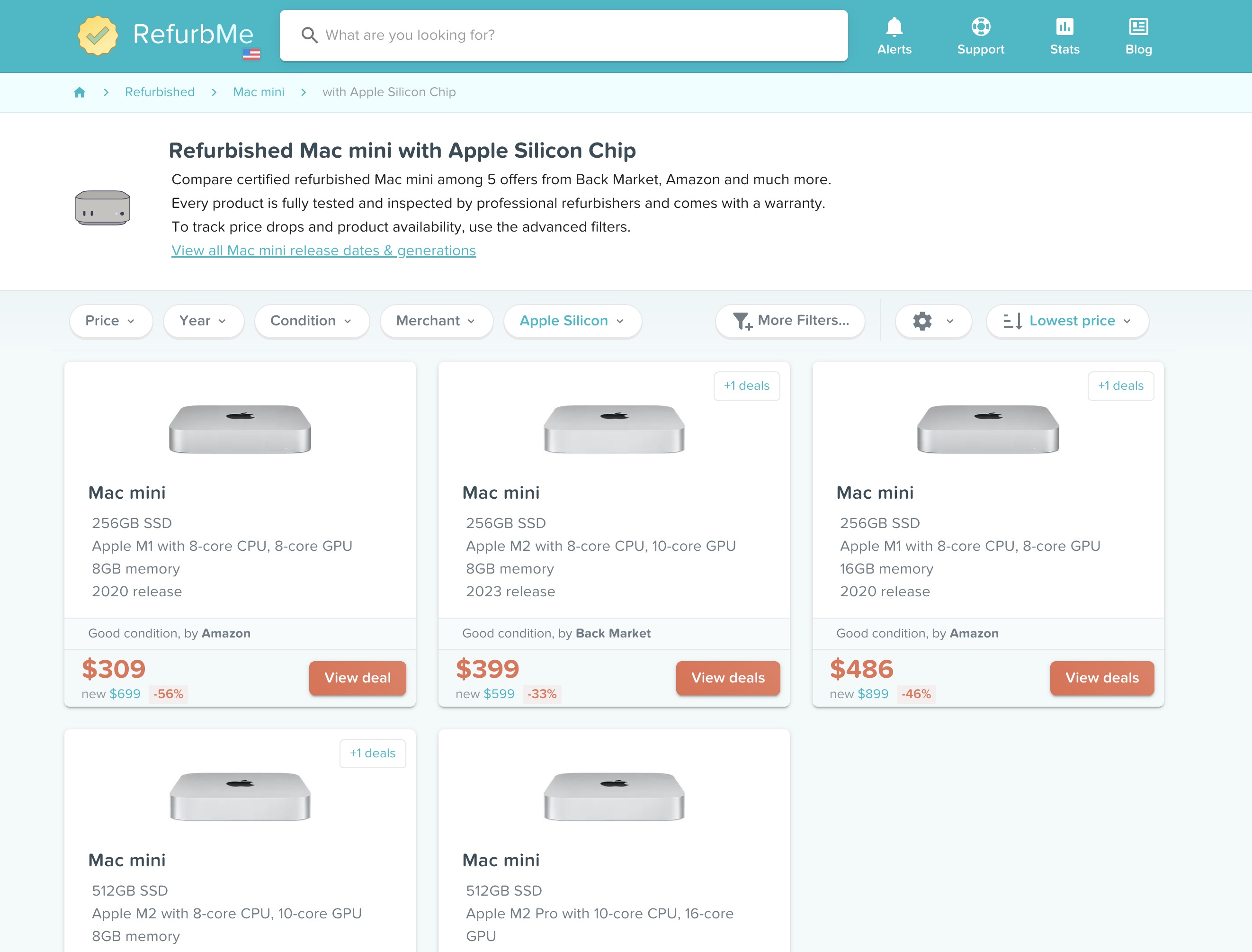
Three reasons to buy refurbished for AI in particular:
The M5 (and M6) timing window. The M5 generation arrived in stages: the base M5 14-inch MacBook Pro shipped in October 2025, the M5 MacBook Air joined in March 2026, and Apple released the M5 Pro and M5 Max alongside the 14-inch and 16-inch MacBook Pro on the same March date. On 25 August 2026, Apple announced a Mac mini running M6 or M5 Pro and a Mac Studio running M5 Max or M5 Ultra. Both ship on 22 September 2026, the date the M4 Mac mini and the M4 Max/M3 Ultra Mac Studio leave the lineup (the 512 GB Mac Studio configuration follows in late October). None of that new silicon is available refurbished yet: RefurbMe's US Time-to-Refurb median for a Mac mini is 118 days, so refurbished M6 or M5 Pro Mac minis are unlikely to reach the US market before around January 2027. Until then, the M3 Pro, M3 Max, M4 Pro, and M4 Max machines this guide recommends are exactly the "one generation back" refurbished buys the lineup change is creating, and they are flooding refurbished channels at the steepest discounts we have seen. This is the best time to buy previous-generation Pro and Max machines for AI.
AI models do not need the latest chip. Memory bandwidth and RAM capacity determine AI performance. An M3 Max with 96 GB at 400 GB/s is a better AI machine than a brand-new base M5 with 24 GB at 153 GB/s. Buying the previous generation often means more RAM for less money, which directly translates to running larger, more capable models.
Cost of ownership versus cloud subscriptions. Local AI replaces recurring cloud spend with a one-time hardware purchase. The math is straightforward:
| Expense | Monthly | Annual | 3-Year Total |
|---|---|---|---|
| ChatGPT Plus | $20 | $240 | $720 |
| Claude Pro | $20 | $240 | $720 |
| Both subscriptions | $40 | $480 | $1,440 |
| Refurbished MacBook Pro M4 Pro 24 GB | One-time | from $1,609 | $1,609 |
| Refurbished MacBook Pro M3 Pro 36 GB | One-time | from $1,719 | $1,719 |
A refurbished MacBook Pro M3 Pro 36 GB pays for itself in about three and a half years of dual cloud AI subscriptions. After that, every year of use is pure savings, and you own a full computer that doubles as a private AI workstation.
Running AI on a refurbished Mac is also a sustainability win. You extend the life of existing hardware and reduce the energy demand on cloud data centers. Two environmental benefits from one purchase.
RefurbMe compares prices across Back Market, Amazon Renewed, the Apple Refurbished Store, and other trusted sellers so you can find the best deal on the exact RAM and chip configuration you need.
For more on Mac longevity and ownership: how long do MacBooks last, are refurbished MacBooks good, and are MacBooks worth it. If you are currently on an older Intel Mac, our guide on Intel Macs and whether they are obsolete covers the performance gap in detail.
Got Your Mac? Set Up Local AI in 10 Minutes
Once you have the right hardware, getting your first model running is fast. Our step-by-step guide on how to run local AI on a Mac walks through installing Ollama and LM Studio, picking the right model for your RAM, and running your first prompt. Plus performance benchmarks by chip so you know what tokens-per-second to expect from your machine.

2.5Ghz Intel Dual-Core i5 3rd gen
4GB memory
2012 release

1.4Ghz Intel Dual-Core i5 4th gen
4GB memory
2014 release
2.5Ghz Intel Dual-Core i5 3rd gen
8GB memory
2012 release
FAQ
Which Mac is the best value for AI in 2026?
The refurbished Mac mini M4 Pro with 48 GB of unified memory. It runs 32B models comfortably, handles 70B models at Q4 quantization, draws minimal power, and runs near-silent. Check the current refurbished price on RefurbMe since inventory moves quickly.
How much RAM do I need to run AI on a Mac?
The minimum is 8 GB for small 3B-parameter models. For genuinely useful AI, 16 GB handles 7B-8B models well. 24 to 48 GB opens up 14B-32B models that approach GPT-4 quality. 64 GB or more lets you run frontier 70B models locally.
Is a refurbished Mac good enough for running local AI?
Yes. Refurbished Macs deliver identical performance to new ones. The chip, RAM, and memory bandwidth are the same whether the Mac is new or refurbished. A refurbished Mac mini M4 Pro with 48 GB is the same AI workstation as a new one, just at a lower price.
Is the Mac mini or MacBook Pro better for local AI?
For pure AI work at a desk, the Mac mini M4 Pro is the better value: identical chip and RAM as the MacBook Pro M4 Pro, but several hundred dollars cheaper because there is no display, keyboard, or battery. The MacBook Pro wins only if you need portability. AI performance is the same.
Should I buy an M3 Max or a newer M4 Pro for AI?
The M3 Max at 300 to 400 GB/s memory bandwidth generates tokens faster than the M4 Pro at 273 GB/s for the same model. If you find a refurbished M3 Max with comparable RAM at a similar price, it is the better AI machine. The newer chip generation is not always the better choice for LLM inference.
Can I run a 70B parameter model on a Mac?
Yes, with sufficient RAM. A Llama 3.3 70B model at Q4 quantization needs roughly 40 to 45 GB. A Mac with 64 GB can run it but feels tight; 96 GB or 128 GB gives comfortable headroom. The MacBook Pro M3 Max with 96 GB or Mac Studio M2 Ultra are the practical entry points for 70B local inference.
What is OpenClaw and why is everyone buying Mac minis for it?
OpenClaw is an open-source autonomous AI agent with over 247,000 GitHub stars. It runs 24/7 on your Mac, connecting to LLMs through messaging platforms like WhatsApp, Slack, and iMessage to execute tasks autonomously. Security experts recommend running it on a dedicated device rather than your primary computer, which has made the Mac mini the default hardware choice because of its low power draw, silent operation, and small form factor.
Is it safe to run OpenClaw on my main Mac?
Security researchers have identified 512 vulnerabilities in OpenClaw, including token exfiltration risks and over 230 malicious community-created skills. Microsoft, Kaspersky, Jamf, and SMU all recommend running OpenClaw on a separate, dedicated device rather than your primary work or personal computer. A refurbished Mac mini used exclusively for OpenClaw provides hardware-level isolation at a fraction of the cost of a new machine.
Can I use a Mac mini as a 24/7 AI server?
Yes. The Mac mini M4 draws just 5 to 15W at idle and 15 to 30W under AI inference load, costing roughly $15 to $25 per year in electricity for continuous operation. It runs silent, takes up minimal space, and handles long uptimes well. It is the most popular hardware choice for self-hosted AI, whether running OpenClaw, Ollama, LM Studio, or private RAG pipelines.
Where do I start once I have my Mac?
Read our companion guide on how to run local AI on a Mac. It covers installing Ollama and LM Studio, picking a model that fits your RAM, and getting your first prompt running in under ten minutes.
Last updated: Sep 11, 2026 · First published: Mar 28, 2026