
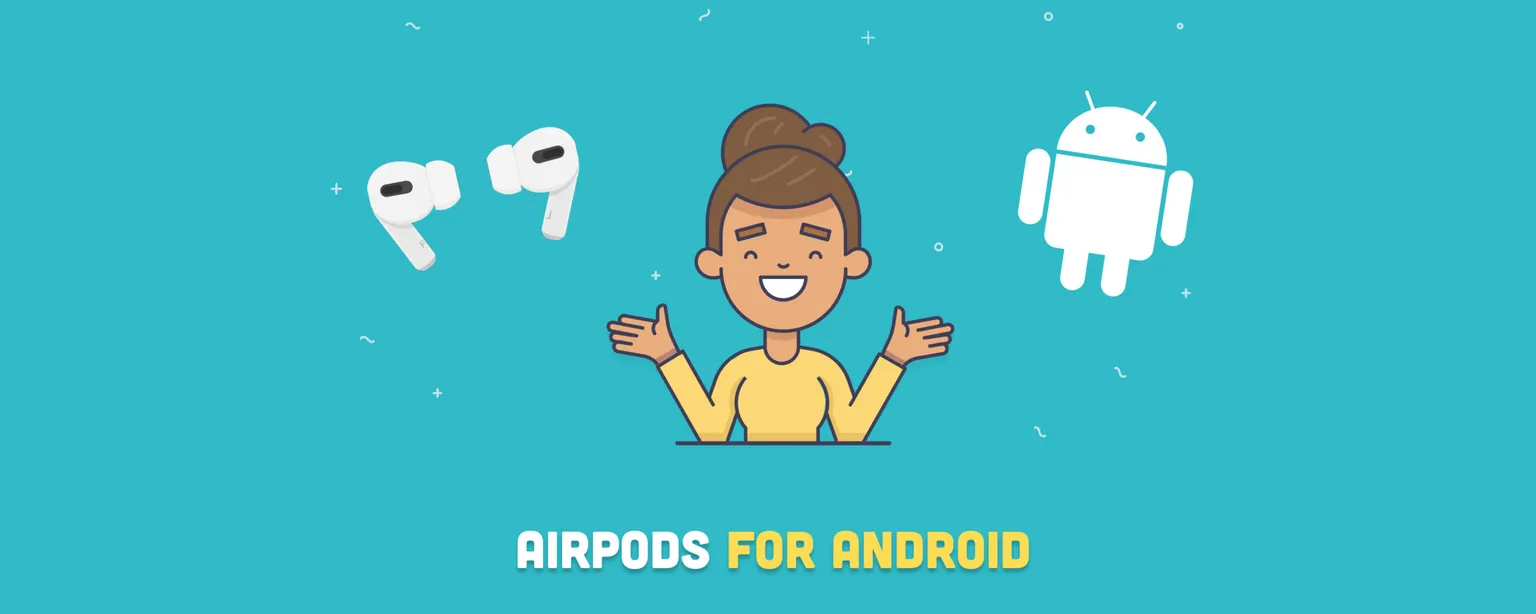
Yes, AirPods work with Android phones and tablets using standard Bluetooth, including Samsung Galaxy, Google Pixel, and any other Android device. Every AirPods model, from the original AirPods through the AirPods 4 and AirPods Pro 3, connects to Android without special setup. The trade-off: a significant number of features depend on Apple's software stack and simply will not function outside the Apple ecosystem. In this guide, we cover exactly which features survive the switch and which ones stay locked to iOS.
Table of contents
- Feature comparison at a glance
- AirPods features that WILL work on Android
- AirPods features that WILL NOT work on Android
- How to pair your AirPods with an Android device
- AirPods with Samsung phones
- Third-party apps that restore lost features
- FAQ
- Final thoughts
Feature comparison at a glance
| Feature | Works on Android? | Notes |
|---|---|---|
| Audio playback and calls | Yes | All models |
| Active Noise Cancellation | Yes | AirPods Pro (all), AirPods 4 ANC, AirPods Max |
| Transparency Mode | Yes | AirPods Pro (all), AirPods 4 ANC, AirPods Max |
| Double-tap / force sensor play/pause | Yes | All models |
| Microphone for calls | Yes | All models |
| Automatic pairing | No | Requires iCloud |
| Ear detection (auto pause/resume) | No | iOS only |
| Automatic device switching | No | Requires iCloud |
| Siri | No | iOS only |
| Customizable controls | No | iOS only |
| Battery level indicator | No (without app) | Use MaterialPods or AndroPods |
| Spatial audio | Partial | Via Apple Music app, needs a Dolby Atmos-capable Android phone |
| Find My | No | iOS only |
| Live Listen | No | iOS only |
| Automatic firmware updates | No | Requires Apple device |
AirPods features that WILL work on Android
The functionality of AirPods on Android is meaningfully limited compared to the full Apple ecosystem. That said, the core audio experience (the part most people actually use every day) transfers cleanly.
👉 Related: Beats Studio 3 vs. AirPods Max: A Guide to the Best Headphones
Double-tap or force sensor controls
Tap-based playback controls survive the platform switch intact. On AirPods 1 and 2, a double-tap on either earbud plays or pauses audio. On AirPods 3, AirPods 4, and AirPods Pro models, the force sensor handles the same job: a single press plays or pauses, a double-press skips forward, and a triple-press skips back. These defaults work on any Android device without configuration.
Solid connectivity and a good range
AirPods' Bluetooth reliability holds up well on Android. The connection is stable in everyday conditions, and the range stretches to roughly 33 feet (10 meters) from the audio source, on par with most competing earbuds. Users generally report fewer dropouts with AirPods than with many third-party alternatives.
Active Noise Cancellation and Transparency Mode
ANC works on Android across every AirPods model that supports it: AirPods Pro (first, second, and third generation), AirPods 4 with ANC (the variant released in September 2024), and AirPods Max (1st generation). Apple introduced AirPods Max 2 with the H2 chip in March 2026, and both generations are listed refurbished on RefurbMe. The phone's Bluetooth settings menu will not show an ANC toggle, but the hardware control works fine: press and hold the force sensor or stem until you hear a chime to cycle between ANC and Transparency Mode. Press again to turn both off.
The key requirement is that both earbuds must be in your ears for ANC to activate. That physical gesture is the only control available on Android, but it is enough to use the feature reliably.
Single AirPod listening
Using one AirPod at a time is possible on Android. If audio plays in stereo when you want mono, navigate to Settings > Accessibility > Audio and switch to mono audio output. On older AirPods models with earlier Bluetooth versions, you may occasionally need to re-pair or reseat the AirPod in its case to get single-earbud mode working reliably.
Microphone functionality
The built-in microphones work for calls and voice memos on Android without any workaround. Call quality is generally good, and beam-forming on Pro models reduces background noise during calls even without native iOS integration.
AirPods features that WILL NOT work on Android
The deeper the integration with Apple's software, the less likely a feature is to survive. Everything below requires iOS, iPadOS, macOS, or an active iCloud account.
Automatic pairing and ear detection
Two of the most-used convenience features disappear on Android. First, the one-step setup (opening the case near an iPhone and tapping a prompt) requires iCloud. On Android, pairing is a standard Bluetooth process. Second, and just as important: the in-ear detection that automatically pauses audio when you remove an earbud and resumes when you put it back is iOS-only. On Android, removing an AirPod from your ear does nothing to playback.
Automatic switching between devices
AirPods can seamlessly switch between an iPhone, iPad, MacBook, and iMac because all those devices share an iCloud account. That handoff mechanism does not extend to Android. If you want to use your AirPods with an Android phone after they have been active on an Apple device, you will need to manually disconnect from the Apple device and pair to Android through the Bluetooth menu.
Siri integration
On iOS, a double-press or "Hey Siri" wake word activates Apple's voice assistant directly from the AirPods. Android has no mechanism to replicate this behavior natively. Third-party apps can remap the double-tap gesture to trigger Google Assistant, but that requires additional setup.
Customizing controls
The Settings app on an iPhone lets you reassign the double-tap gesture to Next Track, Previous Track, or Siri. On Android, no equivalent customization interface exists. AirPods revert to their factory defaults and stay there.
Battery life indicator
The native iOS battery widget and the ability to ask Siri for battery status do not carry over to Android. The Bluetooth settings on most Android phones show a rough battery indicator, but it is often unreliable. Purpose-built apps do a much better job; see the third-party apps section below.
👉 Learn more: How Long Do AirPods Last? (Battery and Lifespan)
Spatial audio
Apple's Spatial Audio with dynamic head tracking is unavailable on Android. There is one partial exception: the Apple Music app on Android can play Dolby Atmos spatial audio on supported tracks, but the requirement is on the phone, not the earbuds. Your Android device itself needs to support Dolby Atmos, and the toggle for it lives inside the Apple Music app's own settings rather than anywhere tied to a specific AirPods model. Head tracking does not work, but the spatial rendering in the mix is present.
👉 Related article: AirPods 2 vs. AirPods 3: Key Differences and Which to Buy
Live Listen
Live Listen turns an iPhone or iPad into a remote microphone that amplifies sound directly into your AirPods, which is useful for people with mild hearing difficulties in noisy environments. The feature requires Apple's accessibility framework and is not available on Android.
Ear Tip Fit Test
The Ear Tip Fit Test in the AirPods Pro (all generations) and AirPods 4 ANC uses the internal microphones to detect audio leaks and confirm that the ear tips are sealing correctly. The test runs through the iOS Settings app and has no Android equivalent.
Conversation Boost
Conversation Boost uses beamforming microphones to enhance the voices of people directly in front of you, helping users with mild hearing impairment follow conversations more easily. It is exclusive to AirPods Pro and requires iOS 15 or later. It is not available on Android.
"Find My" function
When paired with an Apple ID, AirPods register on the Find My network automatically. If they go missing, you can see their last known location on a map. That connection to Apple's network does not exist on Android. Third-party apps like MaterialPods include their own Bluetooth-based proximity finder, but the feature has limited range compared to the full Find My network.
Automatic firmware updates
AirPods receive periodic firmware updates that improve performance and add features. On an Apple device, these install silently while the AirPods are in their case and connected to power. On Android, firmware updates do not happen automatically. Applying an update requires connecting the AirPods to an Apple device. If you do not own one, Apple documents an official route: book an appointment at an Apple Store or an Apple Authorized Service Provider, and they will update the firmware for you.
👉 Learn more: What To Do With Old AirPods? 5 Smart Solutions
How to pair your AirPods with an Android device
AirPods use standard Bluetooth, so the pairing process on Android is the same as any other wireless earbud. Here is how to do it:
- On your Android device, open Settings > Connections > Bluetooth and make sure Bluetooth is on. You can also swipe down from the top of the screen and tap the Bluetooth tile.
- For AirPods (1st and 2nd generation), AirPods 3, and AirPods Pro (1st and 2nd generation): open the case lid and press the small setup button on the back of the case for about five seconds, until the status light flashes white.
- For AirPods 4 and AirPods Pro 3: hold the case, with the earbuds inside, near your phone and double-tap the front of the case until the status light flashes white.
- For AirPods Max: press and hold the listening mode button for about five seconds until the status light flashes white.
- Your Android device will display the AirPods in the list of available Bluetooth devices. Tap the name to connect.
The process typically takes under 30 seconds. If your AirPods do not appear in the list, return them to the case, close the lid for ten seconds, and try again.
AirPods with Samsung phones
Samsung Galaxy phones are the most popular Android devices, and AirPods work with them in exactly the same way as described above. The feature set is identical: ANC works via force sensor press, controls work by default, but automatic pairing, ear detection, and Siri are absent.
One thing to keep in mind: Samsung promotes its own Galaxy Buds as the companion earbuds for Galaxy phones, with dedicated software features in the Galaxy Wearable app. AirPods have no equivalent Galaxy Wearable integration. For Samsung users who want the full earbuds software experience, Galaxy Buds offer deeper native integration. For those who already own AirPods or prefer Apple's audio hardware, they pair and work fine on any Galaxy device.
Third-party apps that restore lost features
Several Android apps recover functionality that Apple locks to iOS. Check the Play Store listing for each before installing, since version numbers and supported Android releases change over time.
MaterialPods is the most feature-complete option. It shows an animated battery pop-up with individual charge levels for each earbud and the case, enables basic in-ear detection for play/pause, adds a proximity-based Find My tool, and lets you remap the double-tap gesture to trigger Google Assistant.
AndroPods replicates the iOS-style pop-up animation that appears when you open the case near your phone. It also supports Google Assistant triggering.
WonderPods focuses specifically on battery monitoring with a clean interface and home-screen widget. It is a lighter option if battery status is your only concern.
None of these apps restore features that require Apple's hardware acceleration or iCloud, such as head-tracked Spatial Audio, Siri, or automatic device switching. But for the most common pain points (battery visibility and ear detection), they close the gap considerably.
FAQ
Final thoughts
AirPods are excellent earbuds that happen to work on Android, not earbuds built for Android. For anyone fully invested in the Apple ecosystem, they are a natural choice and the feature loss on Android is irrelevant. For Android users considering AirPods as their primary earbuds, the honest answer is that the core audio quality and ANC performance are very good, but you will lose enough convenience features that native Android alternatives like Sony's WF series or Samsung Galaxy Buds may serve you better day-to-day.
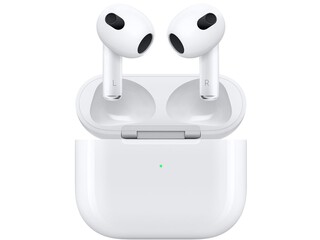
If you are an Android owner who already has AirPods, or a new iPhone user looking to compare options, the refurbished route is worth a close look. Certified refurbished AirPods work exactly like new, carry a warranty, and typically cost significantly less. See the best current deals below:
2021 release


For more on whether the investment makes sense, see our breakdown of whether AirPods are worth it and our picks for the best wireless earbuds for iPhone. If you already own AirPods and want to get more from them, our guide to the best AirPods accessories covers cases, cables, and add-ons worth considering.
Last updated: Sep 2, 2026 · First published: Jun 30, 2023