
Refurbished MacBook Air 13.3" M1 2TB Space Gray, 16GB memory
Out of stock at every seller
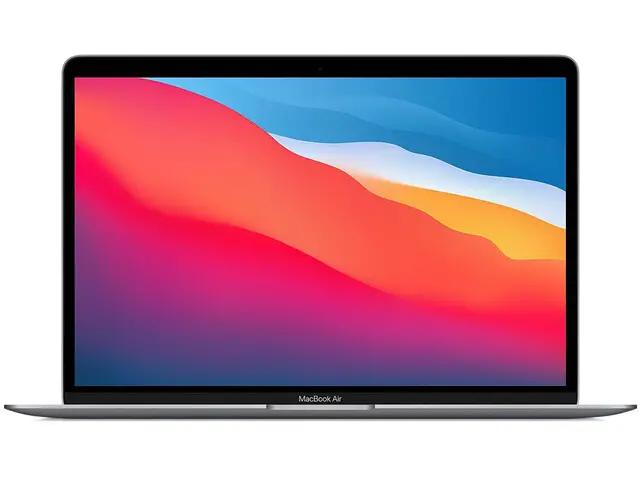
In stock in other versions
Storage
Color
Refurbished MacBook Air 13.3" M1 prices when last seen
No seller has it in stock right now.
What Excellent, Good and Fair look like
The grade describes looks only, as each seller grades it. No seller here states a warranty for this configuration. Each seller words its own grades, so here is what each seller calls it.
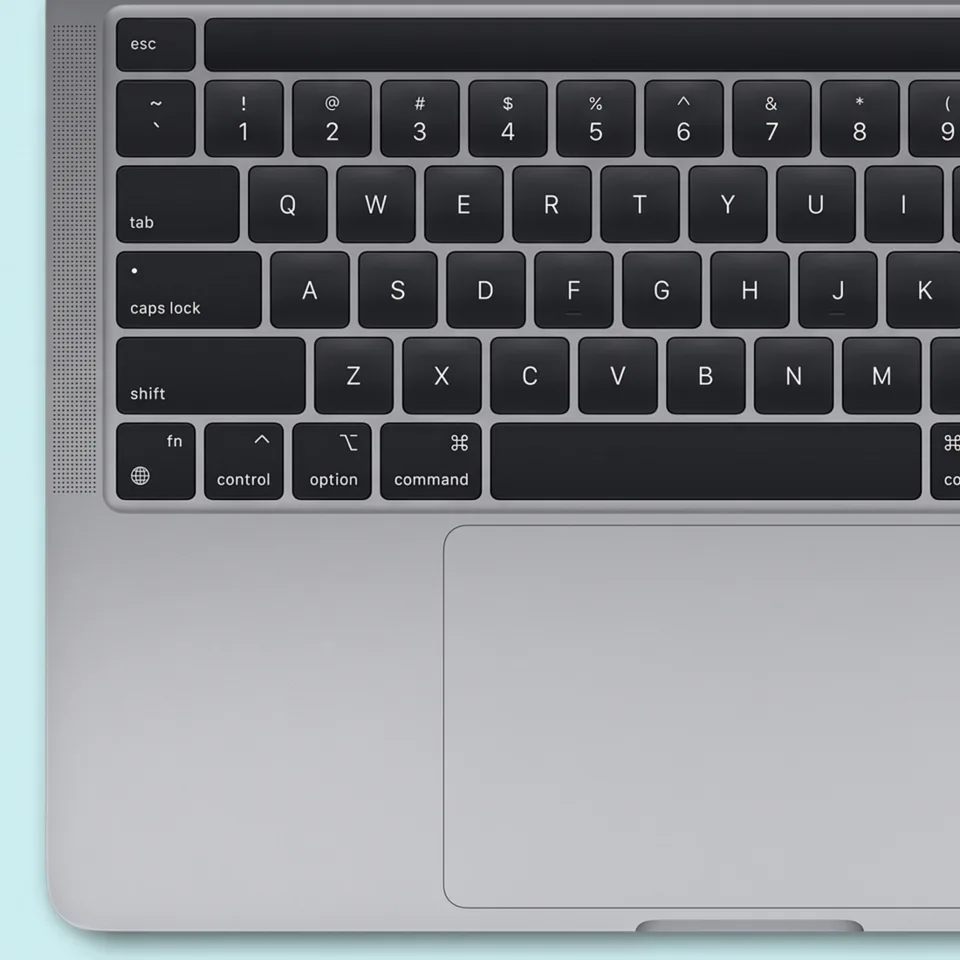
Excellent
Shown on a MacBook Pro M2, for illustration.
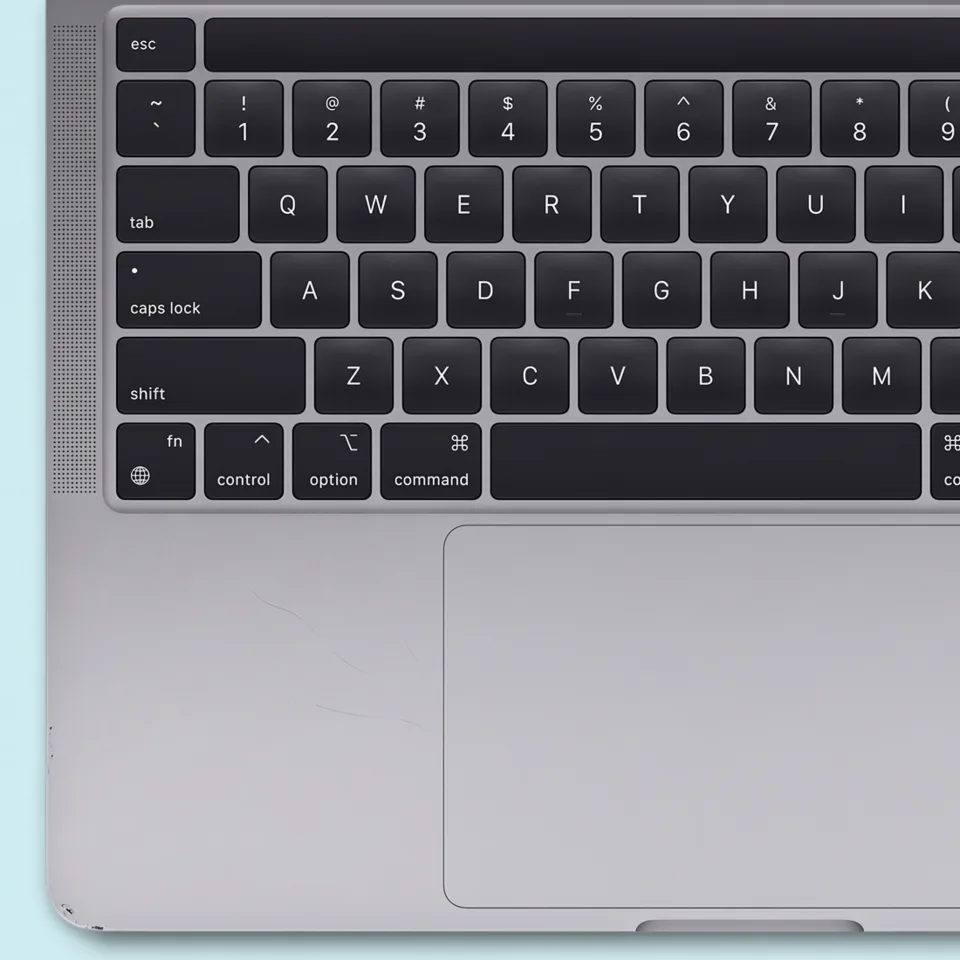
Good
Shown on a MacBook Pro M2, for illustration.
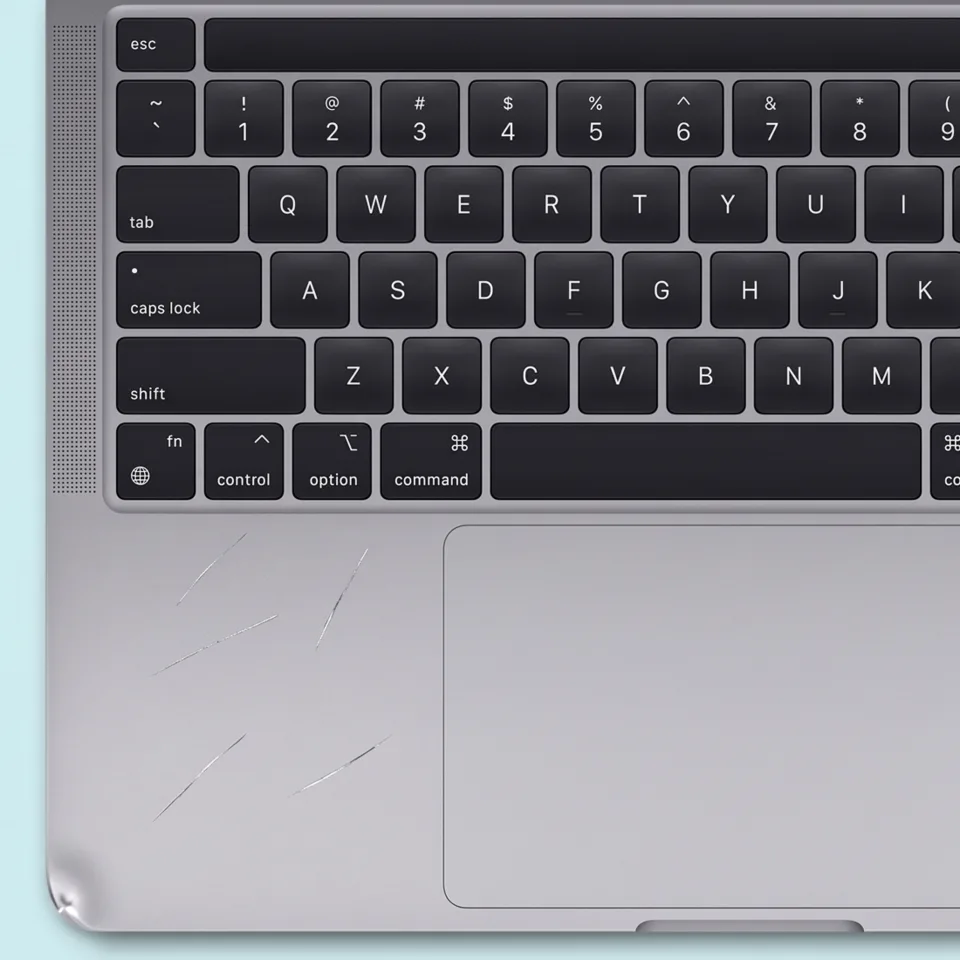
Fair
Shown on a MacBook Pro M2, for illustration.
MacBook Air 13.3" M1 specs
- Screen
- 13.3" Retina display with True Tone · Wide color (P3) · 227ppi (400 nits brightness) at a resolution of 2560x1600
- Processor
- Apple M1 with 8-core CPU, 16-core Neural Engine
- Memory
- 16GB unified memory
- Graphics
- Apple M1 with 8-core GPU
- Has
- Touch ID, Force Touch, headphone jack
- Does not have
- Touch Bar, HDMI port, MagSafe charger
- Shipped with
- macOS 11 (Big Sur) or above
- Latest software
- macOS 27
- Keyboard version
- scissor
- Bluetooth generation
- 5.0
- Wi-Fi generation
- 6
- Thunderbolt port count
- 2
- Thunderbolt generation
- 3
- Battery life
- 18 hrs
- Model identifier
- MacBookAir10,1
- Model number
- A2337
- EMC number
- 3598
- Released
- November 10, 2020
- Discontinued
- June 6, 2022
- Weight
- 2.84 lb
- Size (H x W x D)
- 0.63in x 11.97in x 8.36in
Questions about the MacBook Air 13.3" M1
What is MGN73?
MGN73 is Apple's part number for the MacBook Air 13.3" M1 2TB Space Gray. The one on this page is a custom configuration of it, with 16GB memory. Its model number is A2337. Apple released it in November 10, 2020. Its launch price was $2,049. Apple sold it new until June 6, 2022. It runs macOS 27.
Can I choose or downgrade macOS on a refurbished Mac?
You can't pick the macOS before you buy. The seller installs it, and most install the newest version the Mac supports. Once the Mac is yours, you can install an older version, but never one older than the macOS the Mac shipped with. RefurbMe lists that floor as the Default macOS under Product configuration on every Mac product page. Plan on starting from an erased disk, so back up first.
Full answer: Can I choose or downgrade macOS on a refurbished Mac?
Can I have a different keyboard on a refurbished MacBook?
Every refurbished MacBook comes with the keyboard layout standard in the region where it was originally sold. You cannot request a different physical keyboard layout from a refurbisher because the keys are built into the laptop chassis.
Full answer: Can I have a different keyboard on a refurbished MacBook?
Do refurbished MacBooks have their operating system re-installed?
Yes, refurbished MacBooks have their operating system completely reinstalled during the refurbishment process. The internal storage is erased and a fresh copy of macOS is loaded, so the MacBook arrives ready to use just like a new one.
Full answer: Do refurbished MacBooks have their operating system re-installed?
How can I choose the right refurbished Mac laptop?
Start with what you will actually do on the laptop, then match the specs to it. For most people, a MacBook Air with an Apple Silicon chip, 16 GB of memory, and 256 to 512 GB of storage is plenty. Choose a MacBook Pro only if you edit video, compile code, or run heavy apps for hours. Then pick a condition grade and compare prices.
Full answer: How can I choose the right refurbished Mac laptop?
What accessories are included with a refurbished MacBook?
A refurbished MacBook typically comes with only the essential accessories needed to charge and use the laptop. The exact contents vary depending on the refurbisher and the MacBook model.
Full answer: What accessories are included with a refurbished MacBook?