



Choosing the best MacBook for college comes down to two factors: your major and your budget. With Apple's 2026 lineup spanning everything from the budget-friendly MacBook Neo to the powerhouse MacBook Pro M5, there is a model for every student. In this article, we break down the full range and show you how to save even more when getting a MacBook for college in 2026.
Table of contents
- Should you buy a MacBook for college?
- Mac vs. PC for college: Pros and cons
- What to look out for to find the best MacBook for college
- How to save the most money getting a MacBook for college
- The 5 best MacBooks for college and education
- Frequently asked questions
- Closing thoughts
Should you buy a MacBook for college?
Apple is in a strong position among college students, and for good reason. Many students already own a MacBook, and those shopping for their first laptop increasingly choose one. The main reasons are straightforward:
- macOS is responsive and smooth
- Generous storage capacity -- the M5 Air now starts with 512 GB
- Excellent battery life -- up to 18 hours on the Air, up to 24 hours on the Pro
- The screen is superb -- Liquid Retina displays with True Tone
- The durability is over the top
You can carry a MacBook around campus all day long without charging it repeatedly -- which is exactly what most students need from a laptop.
A MacBook is not just a laptop: it is an essential tool that helps students stay productive and organized throughout their studies. With features like Focus mode, Universal Control, and seamless integration with iPhone and iPad, a MacBook becomes the center of a student's workflow.
Due to its thin and portable design, it can also fit into your backpack. Every MacBook Air and the MacBook Neo offer a fanless design for silent performance in class, which is equally important.
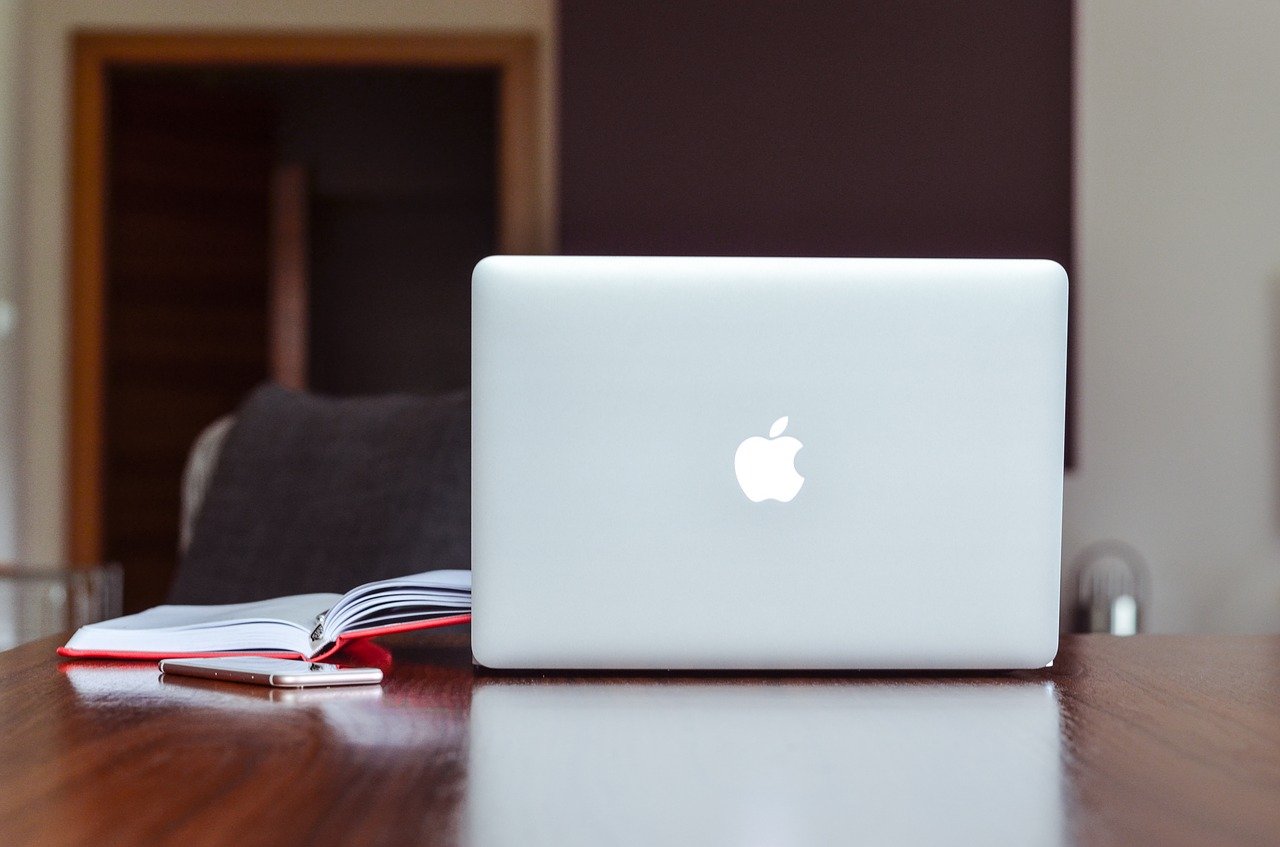
You don't always need to spend over $1,500 to get the Mac experience for college. The new MacBook Neo starts at just $599 ($499 with an education discount), and buying a refurbished MacBook is another way to get the same quality at a discounted price -- sometimes more than half off -- with a warranty.
In short, owning a MacBook for student life is a good idea. Whether you choose the MacBook Air M5, a MacBook Pro, or the budget-friendly MacBook Neo, Apple's laptops are built to last for years. The investment is worth it.
Mac vs. PC for college: Pros and cons
The age-old debate of Mac vs. PC remains relevant, especially for college students. Both platforms have their strengths and weaknesses, and making a choice is a matter of personal preference and specific needs.
MacBooks (macOS)
Pros:
- User-friendly: macOS is known for its intuitive interface and smooth performance.
- Seamless ecosystem: If you own other Apple devices (iPhone, iPad, AirPods), macOS integrates seamlessly for a unified experience.
- Design and build quality: MacBooks are praised for their sleek design and durable aluminum construction.
- Software availability: Essential software for students -- including Microsoft Office, Google Workspace, Zoom, and creative tools -- is readily available for macOS.
- Security: macOS is generally considered more secure than Windows, with fewer malware threats.
- Battery life: Apple Silicon MacBooks consistently outlast most Windows laptops on a single charge.
Cons:
- Price: MacBooks are generally more expensive than comparable Windows laptops, though the MacBook Neo narrows this gap.
- Limited customization: Upgrading components like RAM and storage after purchase is impossible on modern MacBooks.
- Gaming: MacBooks are not the best choice for gamers due to limited game compatibility, although Apple's Game Porting Toolkit and native titles are steadily improving.
Learn more: 20 Best Games for Mac
Windows PCs
Pros:
- Variety and price: Windows laptops offer a wide range of options across various price points and specifications.
- Customization: It's easier to upgrade components like RAM and storage in many Windows laptops.
- Software compatibility: Windows has a larger software library, including industry-specific tools and games.
- Gaming: Windows PCs remain the preferred platform for gaming due to superior graphics support and game compatibility.
Cons:
- Less intuitive: Windows can feel less polished than macOS, especially for those new to the operating system.
- Security: Windows is generally more vulnerable to malware and viruses compared to macOS.
- Quality control: The build quality of Windows laptops varies significantly depending on the manufacturer and price point.
In a nutshell
The best choice ultimately depends on your individual needs:
- MacBooks are ideal for students who prioritize user experience, design, and integration with other Apple devices. They are particularly well-suited for majors like graphic design, video editing, and music production.
- Windows PCs may be a better choice for students on a tight budget who need specific Windows-only software or are avid gamers. They also offer more flexibility for hardware upgrades.
Additional tips
- Consider your major: Some fields of study have specific software requirements that might be better suited for one platform over the other.
- Test them out: Visit an Apple Store or a retailer to try both MacBooks and Windows laptops before committing.
- Research discounts: Apple offers education pricing year-round, and many retailers run additional student deals during back-to-school season.
What to look out for to find the best MacBook for college
The process of choosing the best MacBook for college can be overwhelming. Here are the key factors to guide your decision.
- Performance. Apple's M-series chips have transformed the MacBook lineup. The M4 and M5 chips deliver desktop-class performance in a thin, fanless design, while the M5 Pro and M5 Max handle heavy creative workloads like video editing and 3D rendering. Even the entry-level MacBook Neo, powered by an A18 Pro chip, handles everyday student tasks with ease.
- Battery life. Every student needs a laptop they can carry around campus without constantly searching for an outlet. The MacBook Air M5 delivers up to 18 hours of battery life, while the MacBook Pro 14" M5 can last up to 24 hours. That kind of endurance means you can attend a full day of lectures, study at the library, and still have power to spare.
- Touch ID. Most current MacBooks include Touch ID -- a fingerprint sensor built into the power button that lets you unlock your laptop, authorize purchases, and protect your documents. This is especially important when using your Mac in public spaces like libraries and coffee shops.
- Display. Current MacBooks feature Liquid Retina displays with True Tone technology, which adapts screen colors to your surroundings. The MacBook Pro models go further with Liquid Retina XDR, offering higher brightness and contrast that makes a real difference for graphic design and creative work.
- Size and weight. You can choose between 13-inch, 15-inch, and 16-inch models. If portability is your priority, the 13-inch MacBook Air (just 2.7 pounds) or the even lighter MacBook Neo are ideal for carrying between classes. If you need more screen space for multitasking, the 15-inch Air offers a great balance without the bulk of a Pro.
- Noise. Consider whether the MacBook of your choice has a fanless design. This is especially important in quiet classrooms and libraries. Every MacBook Air and the MacBook Neo run completely silent thanks to their fanless architecture, while the MacBook Pro uses fans only under heavy workloads.
- Operating system. Make sure your MacBook is compatible with Apple's latest operating system, macOS Tahoe. Fortunately, macOS Tahoe runs on MacBooks released several years ago, so even a refurbished M1 or M2 model will receive the latest apps and security updates.
How to save the most money getting a MacBook for college
Depending on which model you choose, the price range for a new MacBook starts at $599 for the MacBook Neo and climbs past $2,000 for a MacBook Pro. For a college student, affording these models can be challenging -- but several strategies can help.
Apple offers education pricing year-round, which includes discounts on hardware, up to 20% off AppleCare, and periodic gift card promotions worth up to $150 during back-to-school campaigns. However, education pricing alone may not be enough. The most affordable option is to buy a refurbished MacBook, which gives you all the same benefits a new MacBook would provide with significant discounts.
Certified refurbished products always include a warranty, as is the case with the Apple Certified Refurbished program, where Apple sells its own refurbished devices that are hard to distinguish from factory-new items. Third-party refurbishers with solid track records, like Back Market and Amazon Renewed, often offer even steeper discounts on previous-generation models like the MacBook Air M3 or M2.
The 5 best MacBooks for college and education
Before choosing a MacBook for college, you need to factor in your major, budget, how much time you will carry it around campus, and the level of performance you require. Here are five strong choices for 2026, ranked from best overall to best budget option.
1. MacBook Air M5 13" (2026)

1.4Ghz Intel Dual-Core i5 4th gen
4GB memory • Silver
2014 release

1.6Ghz Intel Dual-Core i5 5th gen
4GB memory • Silver
2015 release

1.3Ghz Intel Dual-Core i5 4th gen
4GB memory • Silver
2013 release
Pros:
- Latest M5 chip with enhanced AI performance
- 512 GB base storage (doubled from previous generation)
- Up to 18 hours of battery life
- Fanless, completely silent design
- Lightweight at just 2.7 pounds
Cons:
- No ProMotion technology (120 Hz refresh rate)
- Only two Thunderbolt/USB 4 ports
- No Face ID
The MacBook Air M5 13" is the best all-around MacBook for college students in 2026. Apple's latest M5 chip delivers a meaningful performance boost over the M4, with particular improvements in AI-related tasks and multithreaded workloads. The base storage has doubled to 512 GB, which means you no longer need to upgrade just to have enough room for your files. With up to 18 hours of battery life and a fanless design that runs completely silent during lectures, this is the laptop most students should buy.
2. MacBook Air M5 15" (2026)
1.4Ghz Intel Dual-Core i5 4th gen
4GB memory • Silver
2014 release
1.6Ghz Intel Dual-Core i5 5th gen
4GB memory • Silver
2015 release
1.3Ghz Intel Dual-Core i5 4th gen
4GB memory • Silver
2013 release
Pros:
- Larger 15.3-inch Liquid Retina display
- Same M5 chip performance as the 13-inch model
- 512 GB base storage
- Still remarkably thin and light for a 15-inch laptop
- Excellent for multitasking with side-by-side windows
Cons:
- $200 more than the 13-inch model
- Heavier at 3.3 pounds -- still portable, but noticeable in a backpack
- Only two Thunderbolt/USB 4 ports
If you want more screen space without stepping up to a MacBook Pro, the 15-inch MacBook Air M5 is an outstanding choice. The larger display makes a real difference when you are working with research papers, spreadsheets, or creative applications side by side. It shares the same M5 chip and 512 GB base storage as its 13-inch sibling, so you are not sacrificing any performance for the bigger screen.
Related: 13-Inch vs. 15-Inch MacBook Air: All the Differences
3. MacBook Air M4 13" (2025)
Apple M4 with 8-core CPU, 8-core GPU
16GB memory • Midnight
with Touch Id • 2025 release
Apple M4 with 8-core CPU, 8-core GPU
16GB memory • Sky Blue
with Touch Id • 2025 release
Apple M4 with 8-core CPU, 10-core GPU
16GB memory • Sky Blue
with Touch Id • 2025 release
Pros:
- Excellent performance with the M4 chip
- 16 GB of RAM as standard
- Bright, color-accurate Liquid Retina display
- Frequently discounted since the M5 launch
- Fanless and silent
Cons:
- 256 GB base storage (half the M5 model)
- Slightly older design compared to 2026 models
- Only two Thunderbolt/USB 4 ports
The MacBook Air M4 is the smart value pick in 2026. With the M5 Air now available, the M4 model has seen meaningful price drops at retailers and in the refurbished market. It still delivers outstanding performance -- the M4 chip handles everything from note-taking and research to photo editing and coding without breaking a sweat. For students who want a premium MacBook experience without paying for the newest generation, this is the one to get.
4. MacBook Pro 14" M5 (2025)

2.3Ghz Intel Dual-Core i5 7th gen
8GB memory • Space Gray
2017 release

2.7Ghz Intel Dual-Core i5 5th gen
16GB memory • Silver
2015 release

2.6Ghz Intel Dual-Core i5 4th gen
8GB memory • Silver
2014 release
Pros:
- Powerful M5 chip with up to 24 GB of unified memory
- Stunning Liquid Retina XDR display with ProMotion (120 Hz)
- Up to 24 hours of battery life
- Versatile port selection: Thunderbolt 4, MagSafe, HDMI, SD card slot
- Premium build quality with 1 TB base storage
Cons:
- Significantly more expensive than the Air lineup
- Heavier at 3.4 pounds
- More power than most students need
The 14-inch MacBook Pro M5 is a serious investment, but it delivers performance that the MacBook Air simply cannot match. If your major involves demanding tasks -- engineering simulations, architecture rendering, film production, or software development -- this is the MacBook to consider. The Liquid Retina XDR display with ProMotion technology offers a 120 Hz refresh rate that makes scrolling, animations, and creative work noticeably smoother. Its 24-hour battery life is the longest of any MacBook, meaning you can leave the charger at home for days at a time.
Related: Best MacBook Accessories
5. MacBook Neo (2026)
The MacBook Neo is Apple's newest and most affordable laptop, introduced in March 2026. Powered by an A18 Pro chip and starting at just $599 ($499 with education pricing), it is designed specifically for students and everyday users who need a reliable, portable machine without the premium price tag.
Pros:
- Most affordable MacBook ever at $599 ($499 for students)
- Lightweight and highly portable
- A18 Pro chip handles everyday tasks smoothly
- Fanless design for silent operation
- Available in multiple colors
Cons:
- No keyboard backlight on the base model
- No Touch ID on the base model (available for $100 more)
- Less powerful than M4/M5 MacBooks for creative workloads
- Smaller display than other MacBook models
For students who primarily need a laptop for note-taking, writing papers, web browsing, and video calls, the MacBook Neo delivers everything you need at a price that competes directly with budget Windows laptops. It is not the right choice for demanding creative work or heavy multitasking, but for the majority of college students in liberal arts, business, and social sciences, it offers exceptional value.
Frequently asked questions
Is a MacBook or a Windows laptop better for college?
It depends on your major and preferences. MacBooks excel in user experience, battery life, build quality, and integration with other Apple devices. They are particularly strong for creative fields like graphic design, video editing, and music production. Windows laptops offer more variety at lower price points and better compatibility with certain industry-specific software. For most college students, a MacBook Air provides the best balance of performance, portability, and reliability.
How much should I spend on a MacBook for college?
Most students will be well-served by a MacBook in the $500 to $1,200 range. The MacBook Neo starts at $499 with education pricing, the MacBook Air M4 can be found for under $900 refurbished, and the MacBook Air M5 starts at $999. Only students in demanding fields like engineering, film production, or 3D design typically need a MacBook Pro, which starts at around $1,599.
Is a refurbished MacBook good enough for college?
Yes. A certified refurbished MacBook is thoroughly tested, restored to working condition, and backed by a professional warranty. Many refurbished units are visually indistinguishable from new ones. Buying refurbished is one of the smartest ways to get a recent MacBook model -- such as an M3 or M4 Air -- at a significant discount. You can compare refurbished MacBook prices on RefurbMe to find the best deal.
Do I need a MacBook Pro for college, or is the Air enough?
For the vast majority of students, the MacBook Air is more than enough. The M4 and M5 chips in the Air deliver performance that handles everything from writing and research to photo editing and light coding. The MacBook Pro is worth considering only if your coursework involves sustained heavy workloads like 4K video editing, 3D rendering, large dataset processing, or running virtual machines.
What size MacBook is best for college students?
The 13-inch MacBook Air is the most popular choice among students because it is lightweight, fits easily in a backpack, and offers plenty of screen space for everyday tasks. If you frequently work with multiple windows or documents side by side, the 15-inch Air provides more room without adding too much weight. The 16-inch MacBook Pro is generally too large and heavy for daily campus carry.
Closing thoughts
Getting a MacBook for college is a great idea, and as we have seen in this article, there are several strong options to choose from in 2026. If budget is your primary concern, the MacBook Neo or a refurbished MacBook Air offer excellent value. If you want the best balance of performance and portability, the MacBook Air M5 13" is the one to beat.
Whatever your choice, Apple's MacBooks are reliable, durable, and built to last throughout your college years and beyond. They offer a polished operating system with far fewer disruptive updates, seamless integration with other Apple devices, and the kind of battery life that means you can leave your charger at home.
Learn more: 10 Best Mac Widgets
Want to save even more money? Head to RefurbMe, start comparing specs and prices, and create price alerts for the exact model you are looking for. You can also compare student discounts with our certified refurbishers.
A refurbished model is in perfect working condition, has been examined thoroughly, and includes a professional warranty. The only difference is the price tag, and you can find discontinued models that are no longer available in stores.
Good luck at college!
Last updated: Mar 20, 2026 · First published: Feb 20, 2025
